
Cheat for RUST
Choose a suitable cheat for RUST
Cheat for RUST
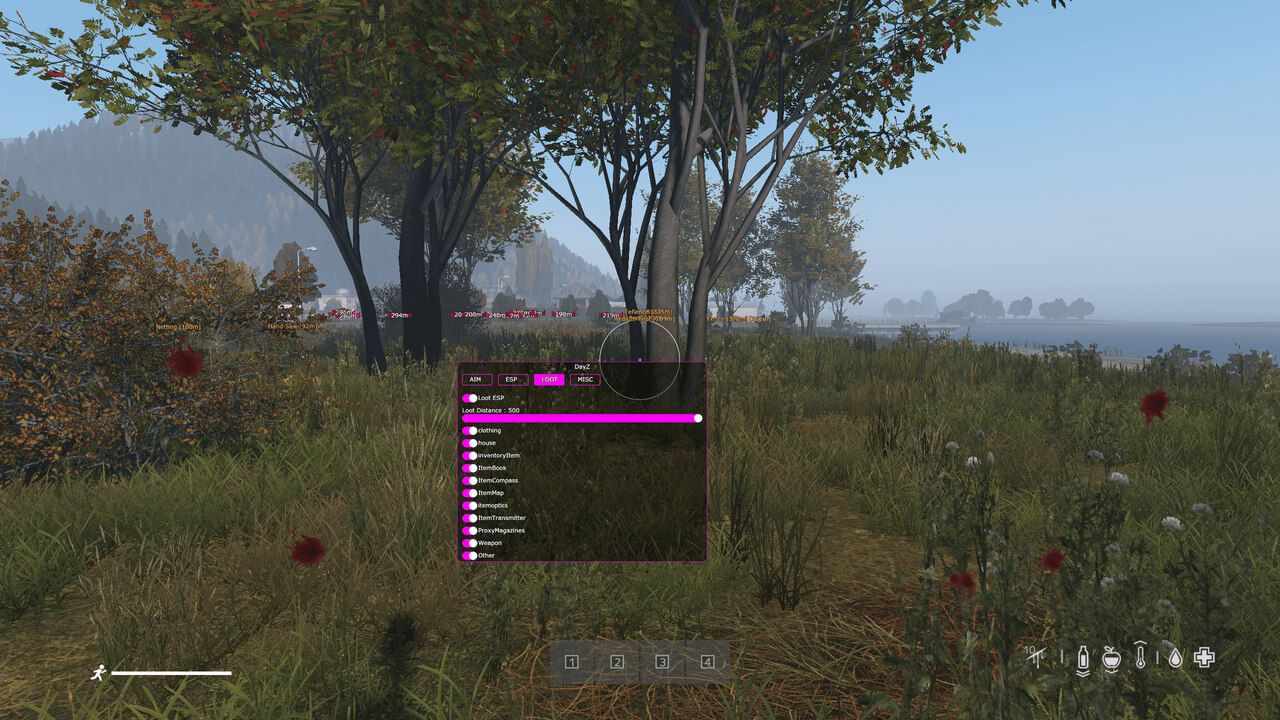
Functions AIM (AIMBOT) Active – enable the aimbot FOV – size of the aimbot's targeting area Draw FOV – display the aimbot FOV circle on screen Smooth – aiming smoothness (higher value = weaker aim assist) Aim Distance – effective range of the aimbot Bone Body / Force Head – by default, the aimbot targets the body; enable Force Head to target the head Remove Sway & Recoil – disables weapon sway and recoil when shooting Aim Key – key to activate the aimbot (hold to use) Player ESP (Wallhack) Enable – enable/disable wallhack to display players in Rust Covcheg BOX – wallhack with player boxes Names – show player nicknames Skeleton – skeleton-based wallhack Distance – display distance to targets (in meters) Max Distance – limit the range of the player ESP Ignore Sleepers – don't show sleeping players Loot / World ESP Item ESP – enable ESP for item display Only Collectable – show only lootable items Ores (Metal, Sulfur, Stone) – display ore nodes (metal, sulfur, stone) Wood – show wood piles Stash – show hidden stashes Crates (Medical, Food, Tool, Elite) – display crates (medical, food, tool, elite) Minicopter – display minicopters Backpack – display backpacks Max Distance – ESP range for loot display
Cheat for RUST
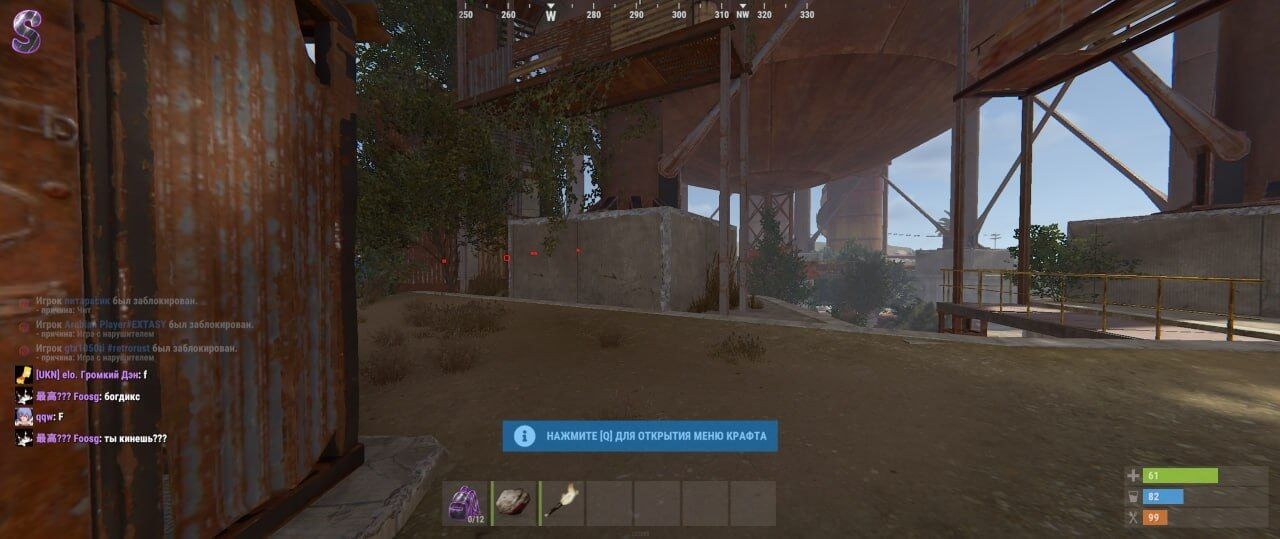
Cheat description CourierScript is a private ESP cheat for Rust, focused purely on enemy tracking. Using the Admin-style ESP system, it highlights players with clean, square boxes through walls and terrain, giving you clear awareness of every opponent’s position. This lightweight build includes only player ESP — no loot, no containers, no radar — ensuring maximum stability and minimal performance impact. It’s optimized for smooth operation and designed to remain fully undetected during gameplay.
Cheat for RUST
THERE IS NO MENU, ALL FUNCTIONS ARE ENABLED AUTOMATICALLY, EXCEPT FOR THESE SET TO SEPARATE HOT KEYS - No Recoil & AntiSpread / Reduced recoil and weapon spread (F5 key) / DOESNT WORK ATM - Player ESP / Displays the location of other players (F6 key) - Spider Man / Wall Climb (F3) - Admin mode / Allows you to enable debug camera, the function can lead to a ban on some servers (F4 key) - Always a day / Always a day (only works with Admin mode enabled) - Panic key / Emergency shutdown of cheat functions (Delete key) * The functionality of the program can be changed at any time at the discretion of the developer, but we always try to keep the information up to date
Cheat for RUST
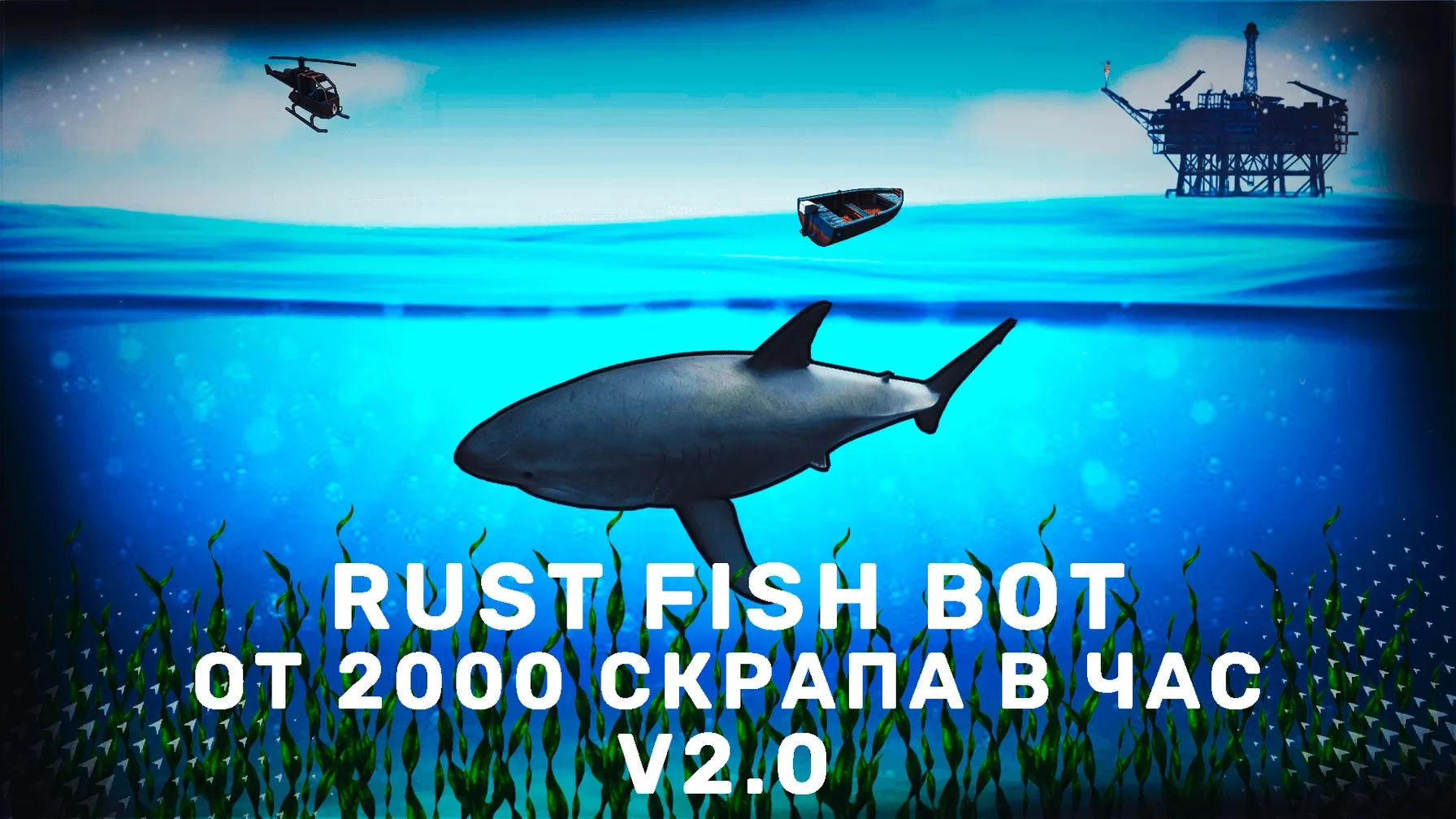
FUNCTIONS: - Catching fish - Gutting fish - Stringing bait - Putting the surplus in the box - Swapping a rod when it breaks - Eating - Re-throw the rod when a fish snaps / line breaks - Protection against unexpected errors. The bot restarts after some time of inactivity - In addition to the main functions, it is also available in minimized mode. - What is it? You can launch the bot, and then go to any program on your computer, and the bot will continue fishing while you work/watch movies/study. - There is fine tuning of the bot available in the launcher, you can enable/disable practical each of the main functions. - On average you get about 2000 scrap per hour, if you put the bot on overnight, in the morning you can get ~16000 scrap, which is enough for a lot of studies and building a strong base.
Cheat for RUST
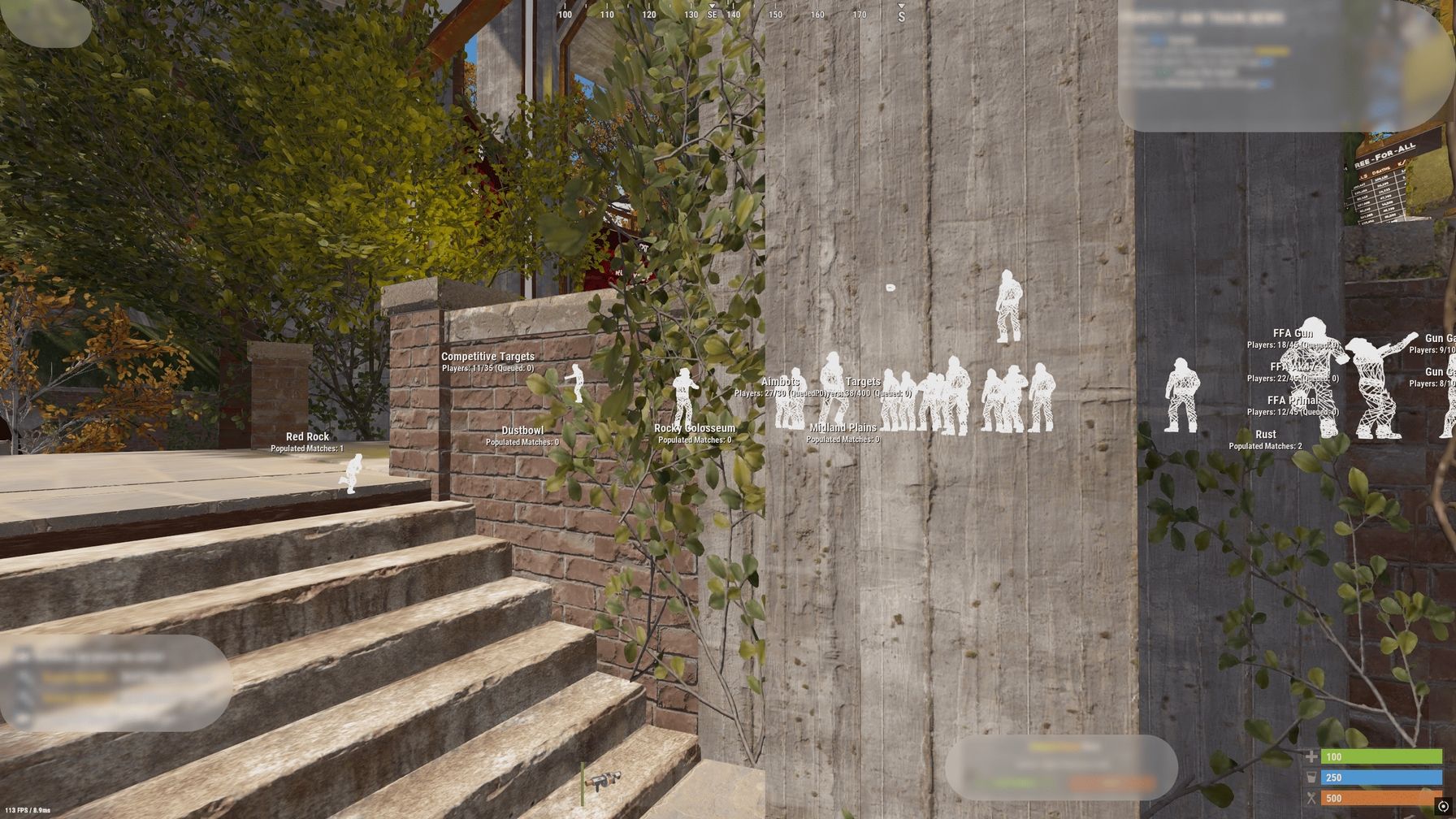
Functions - F4 - Chams - F5 - Low recoil - F6 - Low spread - F9 - Remove near construction
Cheat for RUST
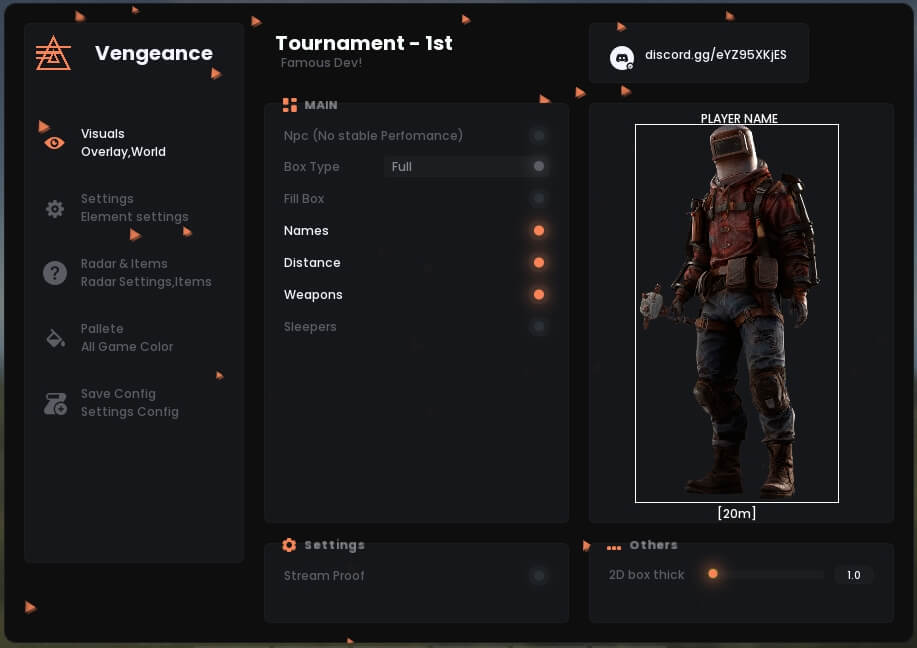
Functions VISUALS NPC — Display non-player characters (bots, mutants, animals) Box Type — Frame style selection (None, Fill Box) Bone — Show enemy skeleton Names — Show player nicknames Distance — Show distance in meters Weapons — Show weapon in enemy’s hands Sleepers — Highlight inactive/sleeping players MISC Debug Camera (Safe on FacePunch) — Free view camera Remove Layers — Hide specific map layers Remove Constructions — Hide walls, doors (illegitimate) Remove Water — Hide or make water transparent Remove Terrain — Hide grass, stones for visibility Remove Layers Keybind — Hotkey for quick toggle Crosshair — Static crosshair in the center ITEMS Food — Highlight food Transport — Highlight vehicles Important — Highlight minerals, components Nature — Highlight trees, stones Animals — Highlight animals Trap — Highlight traps House — Highlight containers and boxes Items Dist — Maximum item render distance Traps Dist — Maximum trap render distance PALETTE Color Name — Player nickname color Color Distance — Distance text color Color 2D Box — 2D frame color Color Team — Team color Color Weapons — Weapon name color Color Wounded — Wounded enemy color Color Crosshair — Crosshair color CONFIG Save Config — Save current settings Load/Unload — Load or unload config
Cheat for RUST
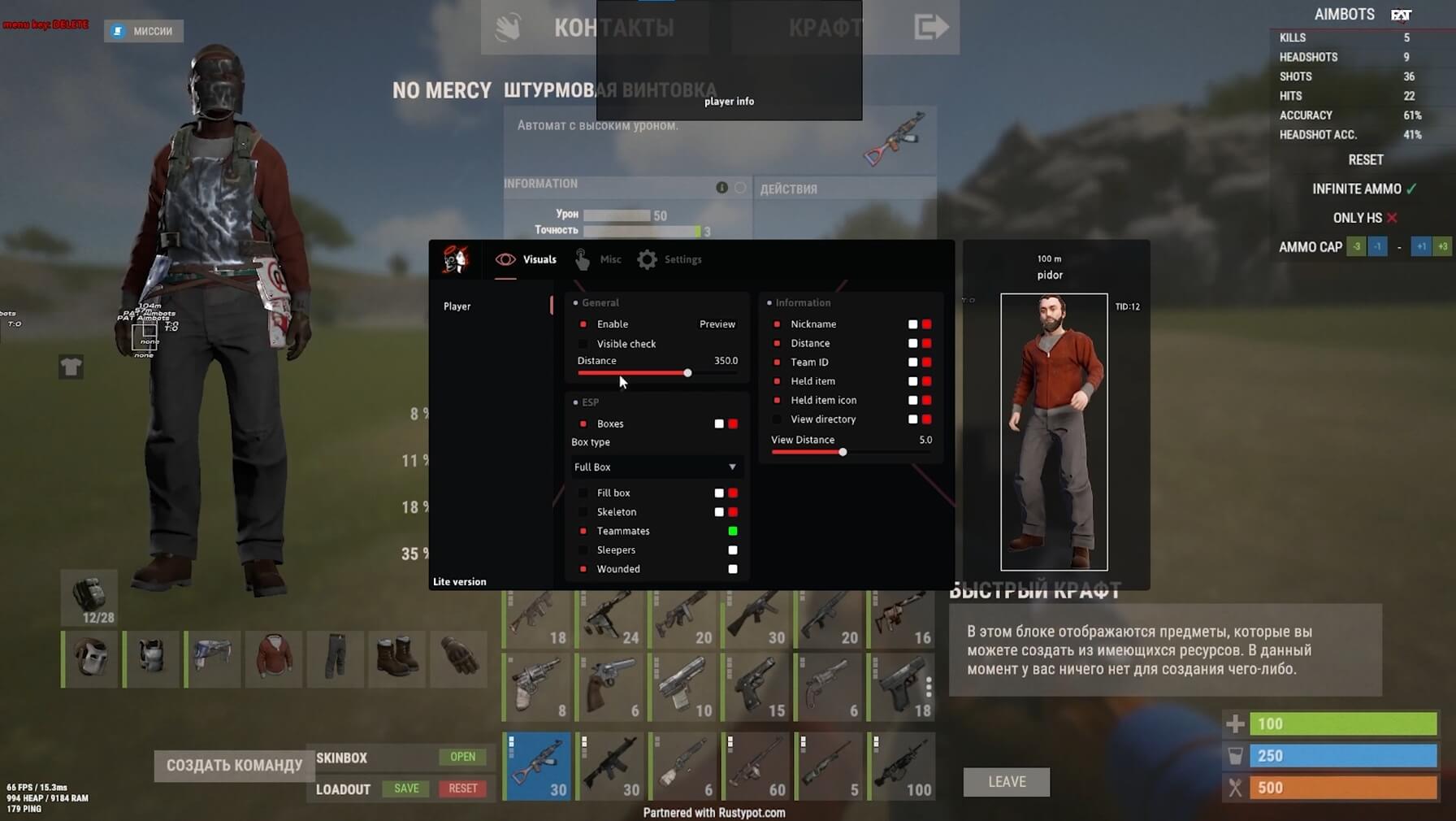
Functions AIMBOT - Enable Aimbot - Customizable FOV - Smoothness control - Bone selection (Head, Neck, Chest, Pelvis) - Target priority system - Visibility check ESP - Player ESP - Loot ESP - Resource ESP - Distance filter - Health bar - Skeleton ESP - Weapon info - Teammates / Sleepers / Wounded MISC - No Recoil - Debug Camera - Combat Mode - FOV Changer SETTINGS - Safe Mode - HUD Preview - ESP Font selection - Visibility check limit - Config system (Create, Save, Load, Delete)
Cheat for RUST
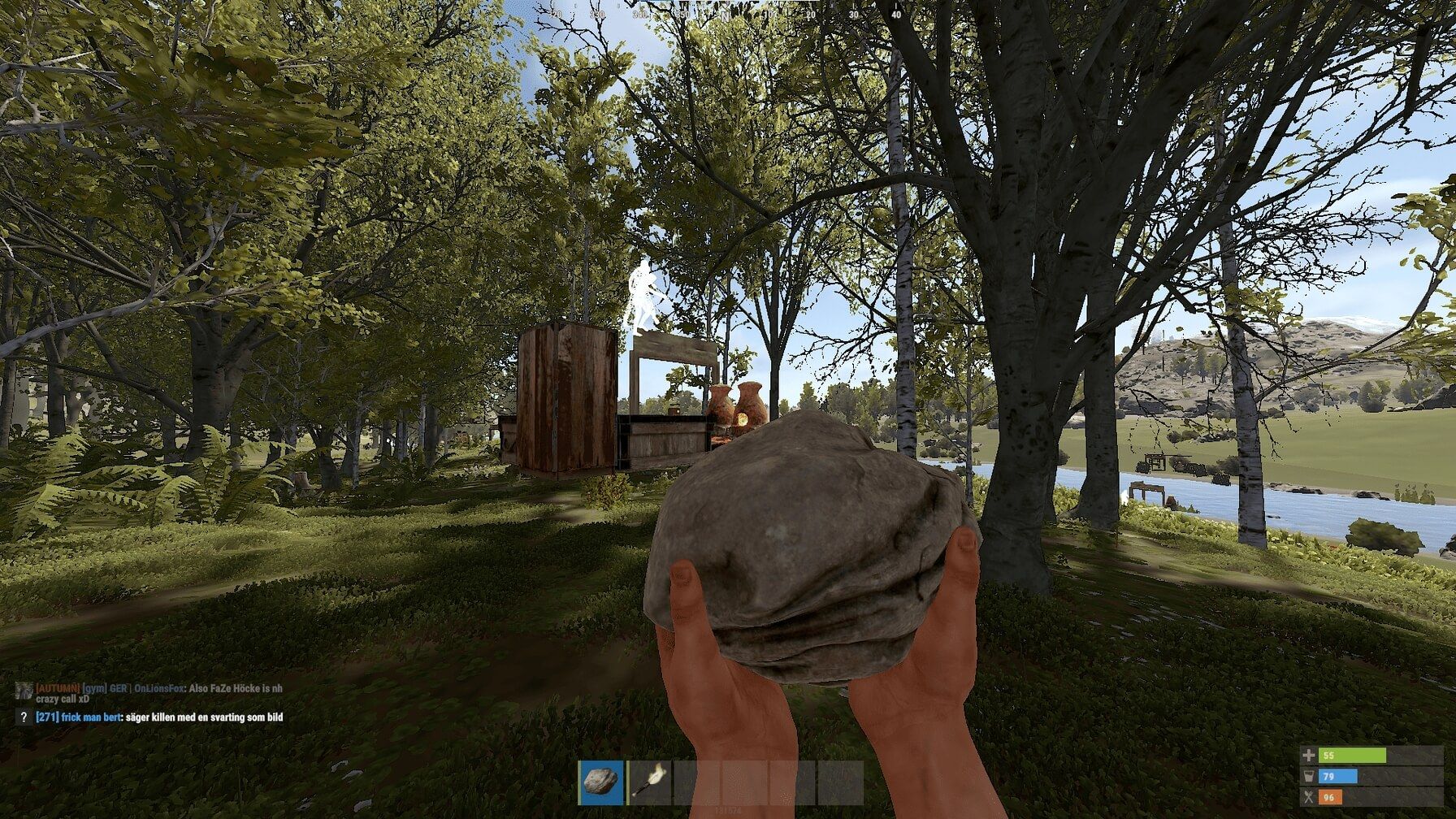
Functions F2 — Silent Aim F4 — No Recoil F5 — Semi-Automatic Mode F6 — Insta Eoka (100% fire chance) F8 — Box ESP (If boxes do not appear, enter the following command in the console: culling.toggle 1 ) F10 — Chams (To prevent boxes from disappearing, enter the following command in the console: culling.toggle 0 ) F11 — Always Day F12 — Remove Constructions
Cheat for RUST
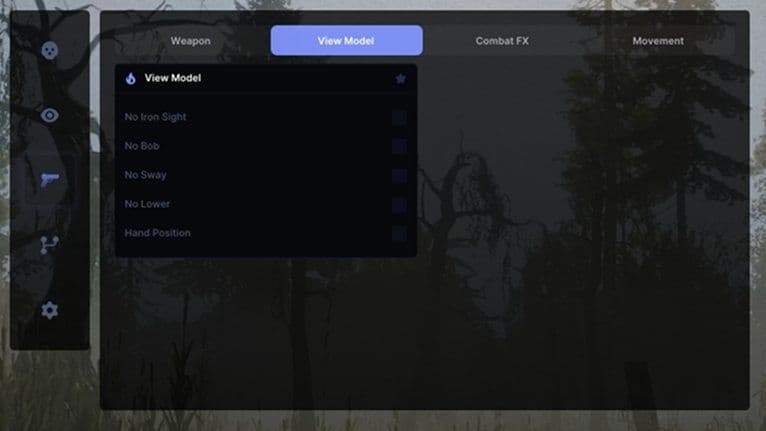
### Aimbot - Enable Aimbot - Aim Type (Silent / Standard) - Target Selection (Closest / Crosshair) - Target Bone (Nearest / Head / Chest) - Hit Override - FOV - Draw FOV ### Aimbot Filters - Ignore Sleepers - Ignore NPCs - Ignore Teammates - Ignore Wounded - Ignore Friends ### Player ESP - Player ESP - Boxes - Box Type (Corner / Full) - Box Outline - Skeleton - Skeleton Outline - Look Direction - Nickname - Distance - Distance Position - Weapon - Flags - Flag Position - Hotbar - Clothing - Team ID ### Chams - Player Chams - Material Selection - Hands Chams - Weapon Chams ### Visuals - Maximum Distance - Show Sleepers - Show Ghosts - Show Wounded - Show Friendly - Show NPCs - Show Looking At Me - Off-Screen Indicators - Tie to Aim FOV - OOF Radius ### Radar - Enable Radar ### Weapon & Combat - Recoil Modifier - No Spread - Fast Bullets - Thick Bullets - Force Auto - Rapid Fire - Instant Eoka - Third Person - Long Melee - Fast Bow - Instant Compound ### View Model - No Iron Sight - No Bob - No Sway - No Lower - Hand Position ### Combat FX - Bullet Tracers - Tracer Thickness - Tracer Lifetime - Combat FX ### Movement - Jump Shoot - Spider Man - Speed Hack - Fast Loot - Infinite Jump - Fly Hack - Silent Walk - Interactive Debug ### World & Environment - Sky Color - Rainbow Sky - Rainbow Speed - Ambient Light - Ambient Value - Custom Time - Time Slider - Bright Night - Boost Stars - Star Size - Star Brightness - Distance Fading - Custom FOV - Zoom Key ### Settings & UI - Create Config - Save Config - Load Config - Delete Config - Battle Mode - Keep Turrets & Traps - Layers Controller - Layer Selection
Cheat for RUST
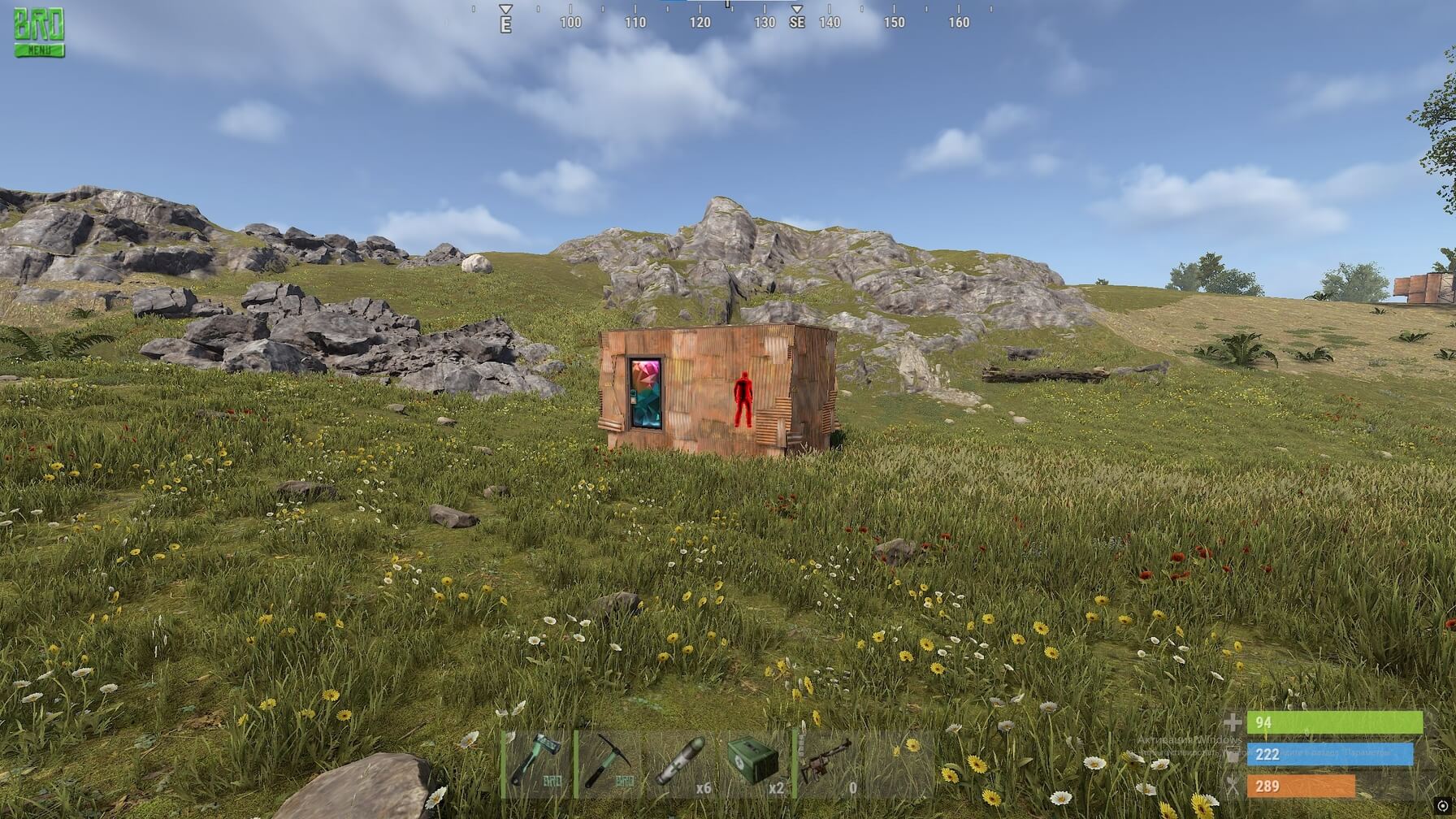
Functions Chams Visible check Disable walls Full Bright
Cheat for RUST
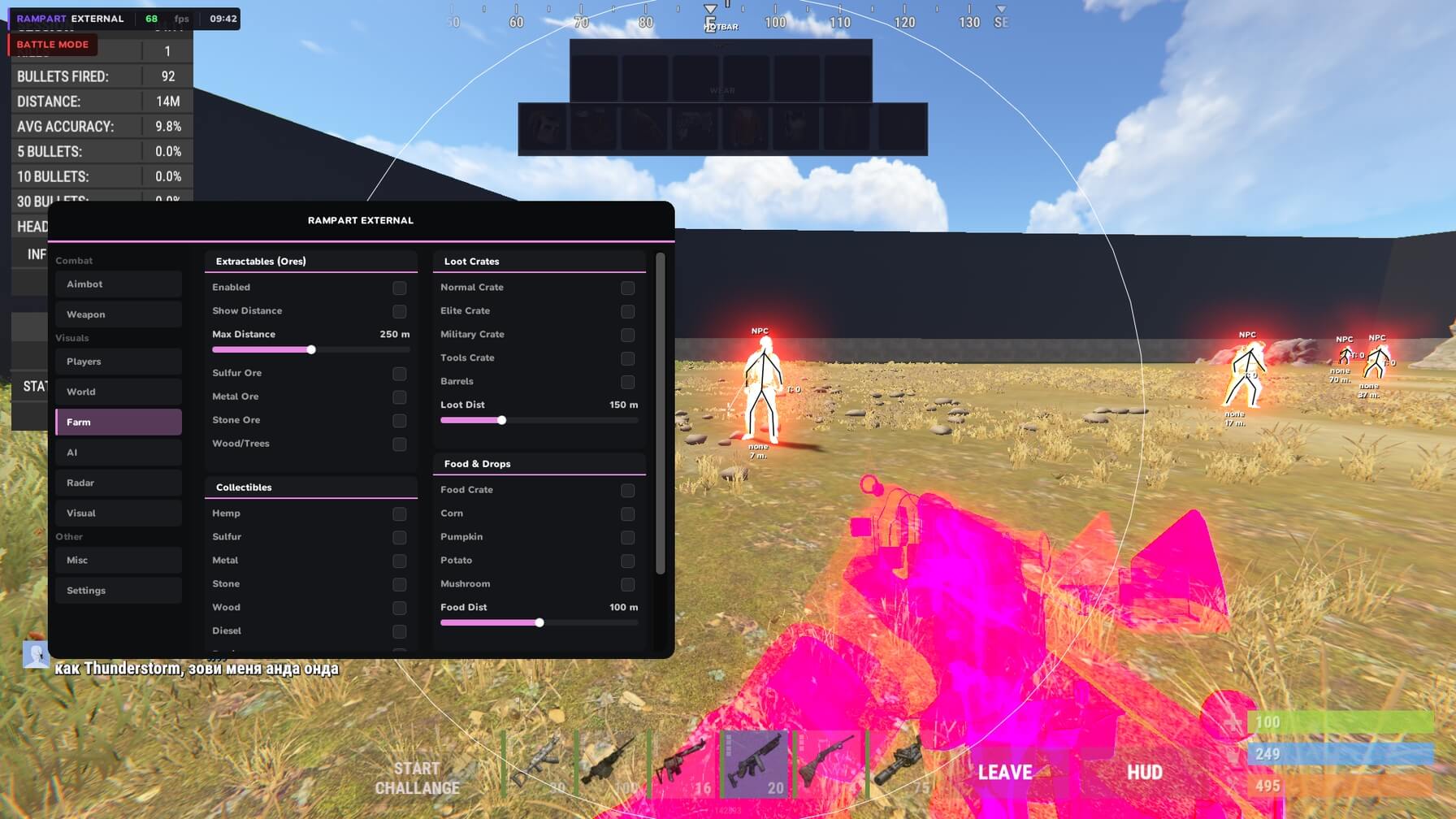
Functions AIMBOT Aimbot Silent aim Silent on key toggle Prediction Prediction toggle Lock target (hold key) Custom aim key Adjustable FOV Adjustable smoothness Adjustable max distance Hitbox (Head, Chest, Pelvis, Legs) Filters (Ignore sleepers, NPC, Teammates) AIM VISUALS FOV circle Aiming line Predicted position marker WEAPON No recoil No spread Always shoot Auto semi Instant bow Instant compound bow Instant eoka PLAYER ESP Boxes (2D, 3D, Corner) Skeleton View direction line Name Distance Held item Team ID Belt items Clothing items Chams Separate colors for (Teammates, Wounded, Sleepers, Bots) Separate bot distance RADAR Minimap (Circle, Square) Size Scale Position (Corner select, Offset) Background color Player dots (Color, Size) View zone cone Grid lines (Thickness, Opacity, Color) Tick marks (Thickness, Opacity, Color) Show (Teammates, NPCs, Distance, Names) Show on radar (World items, Farm, AI) WORLD ESP Tool cupboard (Upkeep display) Sleeping bags Workbench tier 1 Workbench tier 2 Workbench tier 3 Dropped items (Filter: Weapons, Tools, Food, Resources, Ammo, Clothing, Components, Other) Corpses Backpacks Storage boxes RF receiver RF broadcaster Motion sensor Raid ESP (Timer) Individual distance per category TRAPS ESP Auto turret Shotgun trap SAM site Landmine Flame turret Bear trap Can alarm NPC turret Trap status Trap health Individual distance per trap type VEHICLE ESP Minicopter Scrap heli Attack heli Bicycle Motorbike Snowmobile Modular car Horse Rowboat RHIB Tugboat Submarine Diver propulsion Drone Individual distance and color per vehicle FARM ESP Ores (Sulfur, Metal, Stone) Trees Collectibles (Hemp, Metal, Stone, Wood, Sulfur) Diesel barrels Berries Roses Crates (Elite, Military, Tools, Normal, Barrels) Food (Corn, Mushroom, Pumpkin, Potato, Food crate) Airdrop Chinook crate (Locked timer) Individual distance and color ANIMALS ESP Horse Bear Polar bear Boar Stag Wolf Shark Chicken VISUAL Custom crosshair Hotbar widget Armor widget No weapon animation Bright night Local player chams Remove layers (bind) MISC Fast loot Spider (no fall damage) Third person (bind) Admin camera (bind) SETTINGS Save config Load config Menu toggle Watermark (FPS, time) Custom ESP font
Cheat for RUST
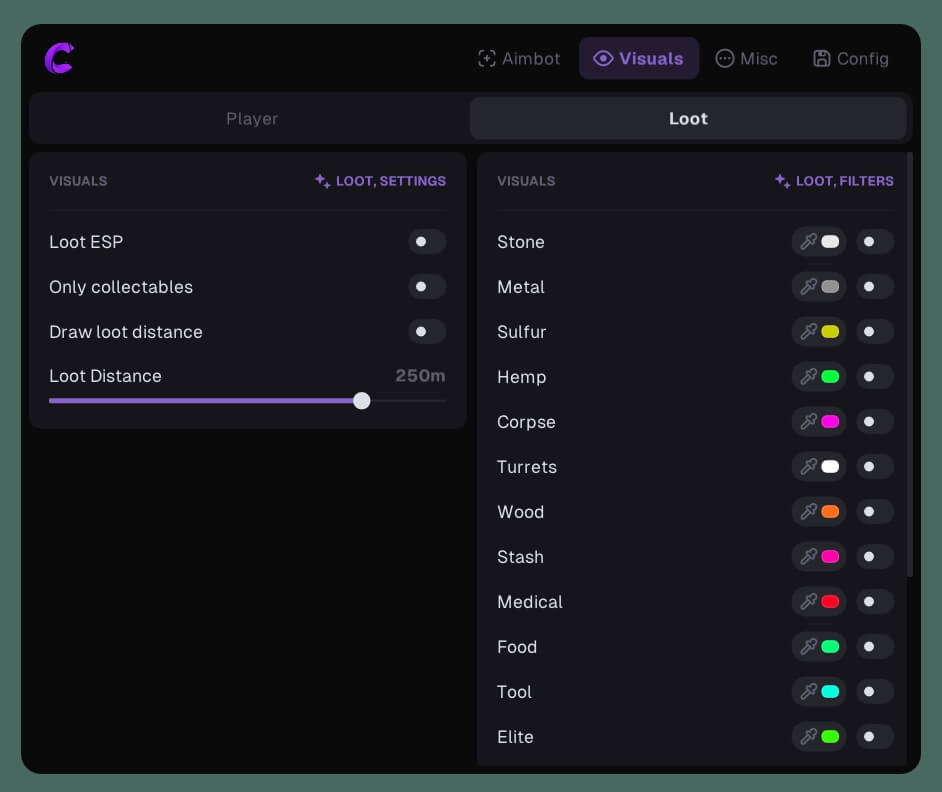
Functions Player ESP Enable Box Names Skeleton Visible Check Distance Max Distance Ignore Sleepers Quick Slots Draw Player Type Ignore Scientist Team ID Ignore Team Chams AIM Active Silent Aim FOV Draw FOV Smooth Aim Distance Force Head Remove Sway & Recoil Aim Key Visible Check Prediction Loot ESP Item ESP Only Collectable Ores Sulfur Stone Wood Stash Crates Medical Crate Food Crate Tool Crate Elite Crate Minicopter Backpack Max Distance MISC Instant Eoka FOV Changer Zoom Key Remove Construction Bright Night CONFIG Language Menu Key Config Slot Menu Scale ESP Font Size Save Load Unload Cheat
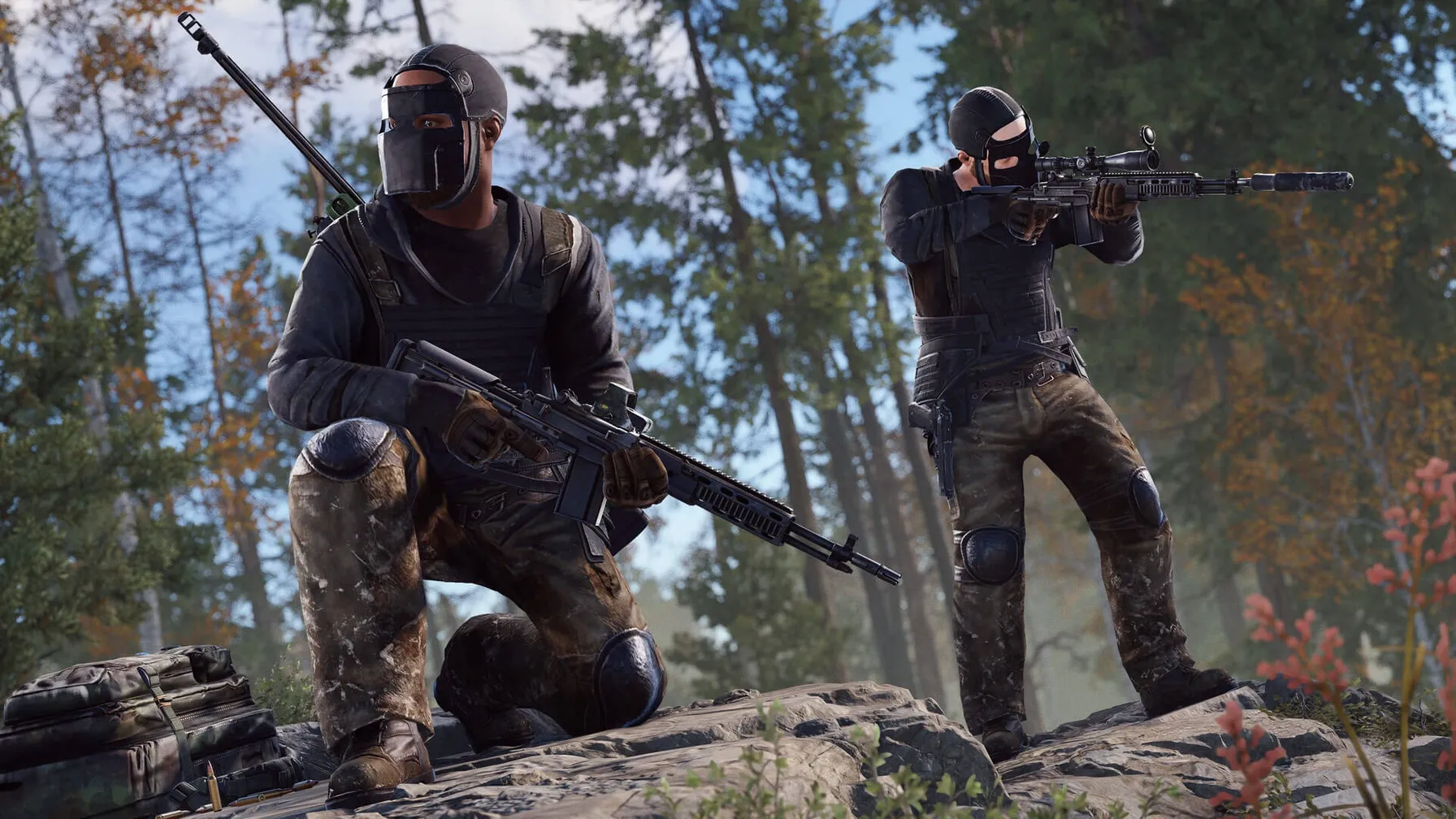
Cheat for RUST
FUNCTIONS: AIM Aimbot Settings - Enable - Aim key - Use Smooth (slider) - Draw Fov - Aim Fov (slider) - Aim Bone: Head | Neck | Stomach Target Settings - Enemies - Npcs - Teammates - Sleepers - Lock Target - Lock Target key Misc - Crosshair - Target line - Players Enemies; Teammates; Npc; Sleepers. - Enable - Box: color - Name: color - Weapon Name: color - Weapone Icon: color - TeamID: color - Distance: color - Skeleton: color Other - Off Arrows: color - Arrows Range (slider) World - Ore - Crates - Animals - Collectables - Deployables - Traps - Transport - Other Object Setup - Enable: color - Draw Name - Draw distance - Limit Distance (slider) Misc General - FPS limit - Show FPS - Text style Config - Save settings - Load settings - Delete settings
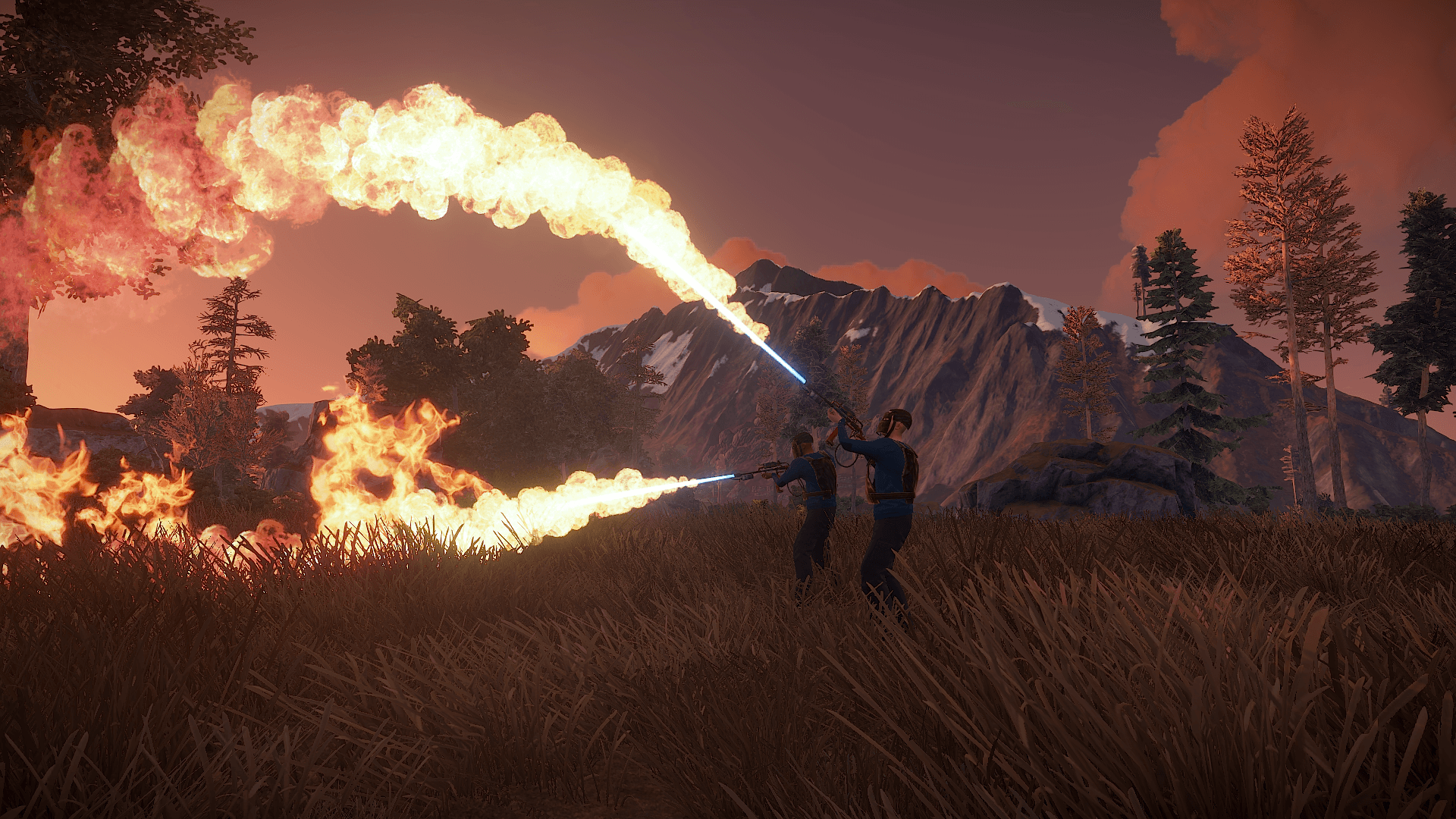
Cheat for RUST
FUNCTIONS: AIMBOT - Enable Aim - Bone Select - Key Select - Prediction - Visible Check - Aim At Sleeping Players - Nearest Bone - FOV - Smooth - Limit Dist VISUAL - Skeleton - 2D Box - Distance - Line - NickName - Weapons - Sleeping Players LOOT - Stone - Metal - Sulfur - Hemp - Crates - Limit dist - Dropped Weapon - Ammunition - Food - Medical - Tools - Component - Resources - Bag - BackPack - Cards Animals - Bear - Boar - Chicken - Deer - Wolf - Shark - Limit Dist Traps - Landmine - Auto Turret - Bear Trap - Gun Trap - Sam Site - Flame Turret - Limit Dist Vehicles - Rhib - Row Boat - Tug Boat - Bicycle - Motorbike - Motorbike Sidecar - Mini Copter - Scrap Helicopter - Patrol Helicopter Objects - AirDrop - Coffin - Storage Boxes - Tool CupBoard - Raid - Resources Hit Other - Enable NPC - Enable Team ESP - Teammate Color - Enemy Visible Color - Enemy UnVisible Color - NPC Visible Color - NPC UnVisible Color
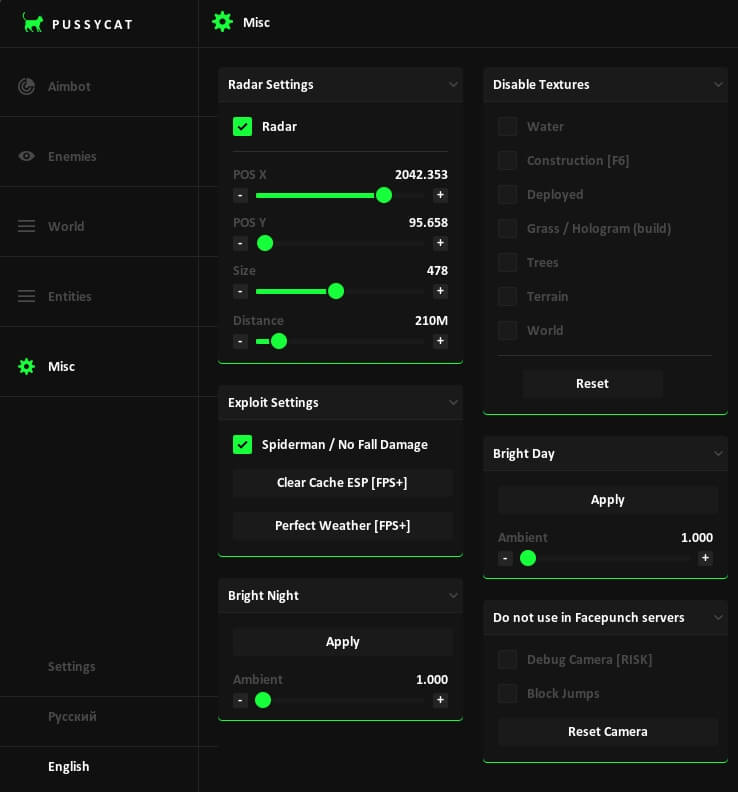
Cheat for RUST
Functions Aimbot AimBot Key Aimbot Hitbox Aimbot Type Ignore Downed Ignore Team Prediction Smoothing X Smoothing Y Distance Hitchance Hitchance Value Draw FOV Filled FOV Draw Arrows Dynamic Arrows Enemies Draw BOX Box Style Snaplines Snaplines Style Skeleton PlayerName TeamID SteamID Item in Hands Item in Belts Icons Belts Item in Body Icons Body Ignore Team Wounded Esp Scientists Sleepers Show Distance Chams Chams Style Distance World Show Icons Elite Crate Normal Crate Military Crate Tools Crate Locked Crate Food Box Loot Barrel SamSite Supply Drop Diesel Recycler Fuel Recycler Corpses Blueprint Basic Blueprint Advanced Distance Dropped Items Items in ground Show Text Show Icons Icon Size Turrets Traps Hemp Cupboard Bags Stone Sulfur Metal Keycard FuseBox Switch Seismic Sensor Halloween Entities Bradley Patrol Heli Cargo Tug Boat Row Boat Speed Boat Kayak Boat Submarine Air Balloon Transport Copter Minicopter Attack Copter Bike Snowmobile Animals Horse Drone Train Health Value HealthBar Distance Misc Radar Size Distance Spiderman / No Fall Damage Clear Cache ESP Perfect Weather Bright Night Ambient Night Disable Textures Water Construction Deployed Grass Trees Terrain World Bright Day Ambient Day Debug Camera Block Jumps Settings Crosshair Font Config
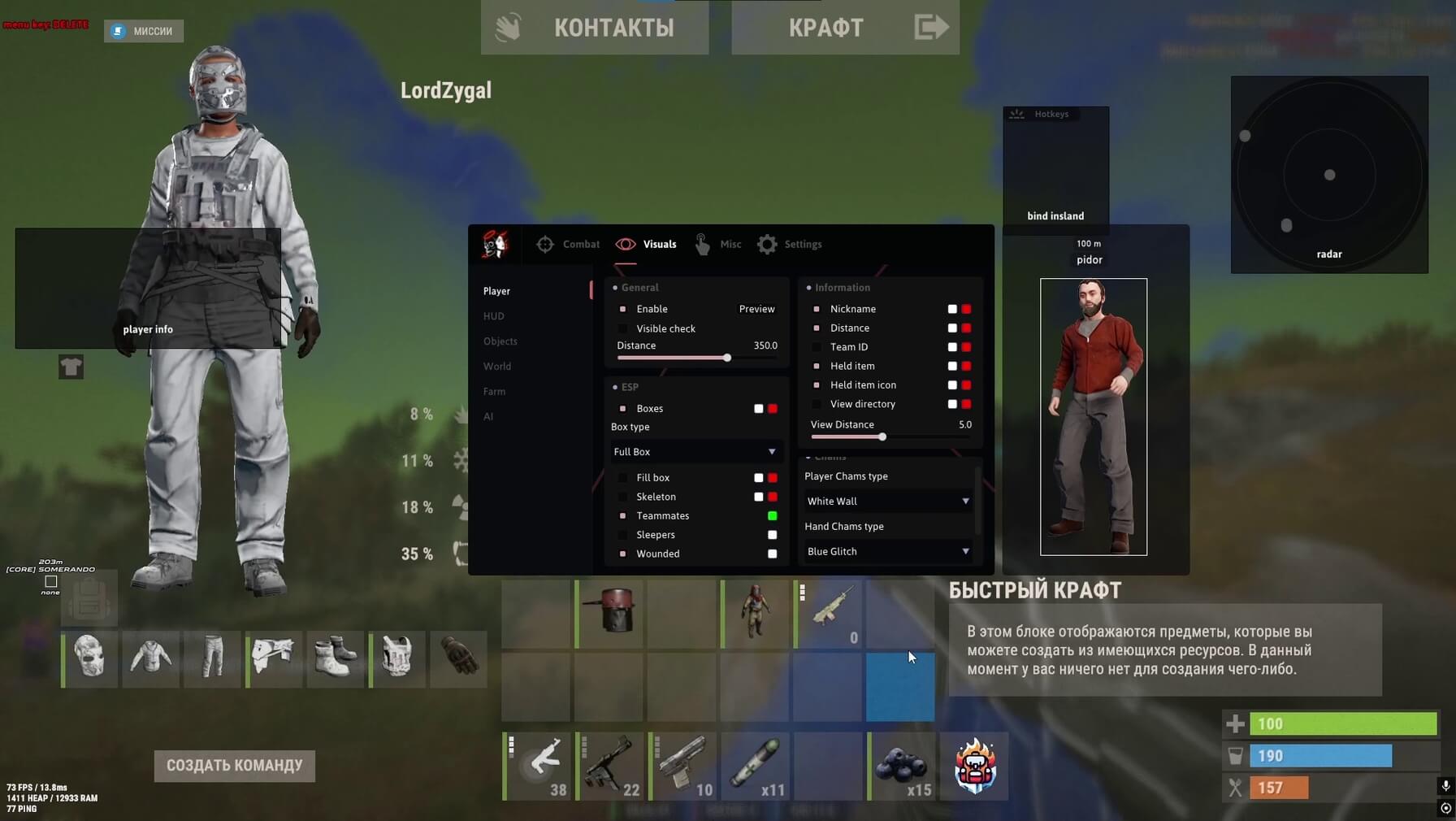
Cheat for RUST
Functions Aimbot - Enable - Max distance - Smoothness - Silent Aimbot - Visibility check - Draw FOV - Draw line to target - Bone selection - Hitbox override Weapon - No recoil - No spread - Fast bullet - Desync - Thick bullet - Always shoot - Insta-Eoka - Insta-Bow - Insta-Compound Player Visuals - Player ESP - Max distance - Preview mode - Visibility check - Boxes - Skeleton - Teammates - Sleepers - Wounded - Weapon in hands - Player names - Distance - Team ID Chams - Players - Hands - Weapons HUD - Target info - Quick access panel - Clothing - Reload indicator - Crosshair - Off-screen arrows - Radar - Island marker World Visuals - Building: sleeping bags, cupboards, workbenches, distance - Traps: auto turrets, SAM sites, flame turrets, mines, distance - Loot: dropped items, corpses, backpacks, distance - Vehicles: minicopters, scrap helis, bicycles, motorcycles, horses, boats, distance - Raid: raid ESP, distance, timer - Farming: sulfur, metal, stone, hemp, crates, distance - AI: animals, scientists, Bradley, Chinook, patrol helicopter, distance Misc - Movement: infinite jump, spider climb, always sprint, flyhack, debug camera - Gameplay: fast gather, suicide, no weapon animation, no weapon lowering, FOV changer, hand position, combat mode, third person, scale - Visuals: bright environment, time changer, stars color, sky color, cloud color, remove layers Settings - Safe mode - HUD preview - ESP font - Visibility check limit - Create config - Save - Load - Delete
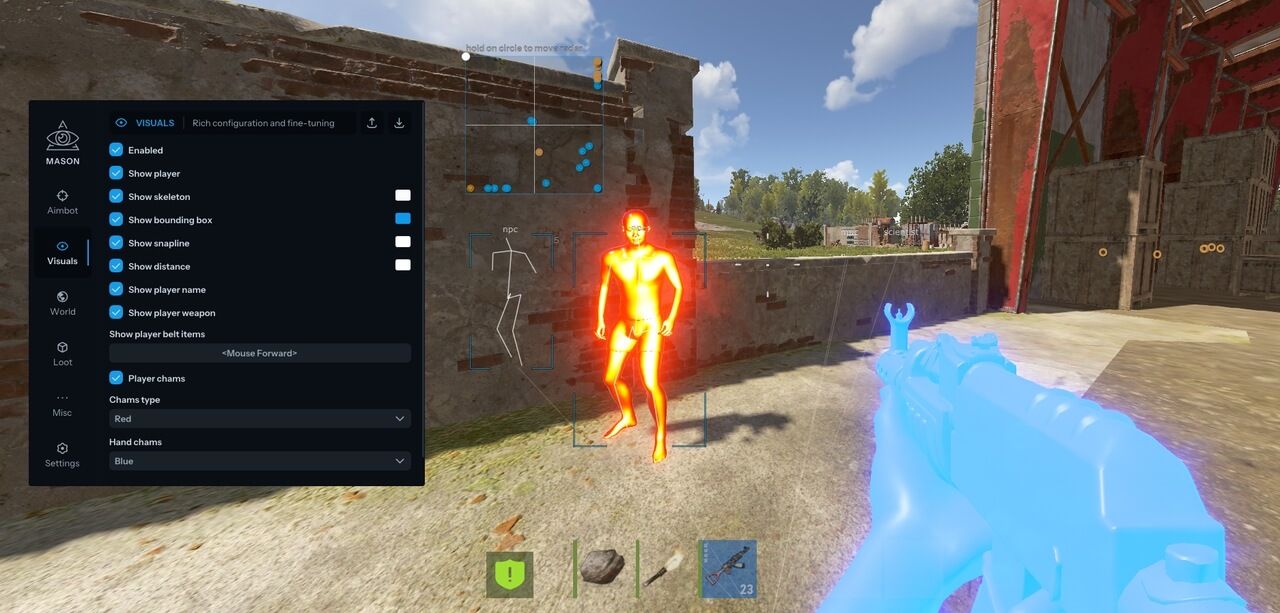
Cheat for RUST
Functions AIMBOT / USE AT YOUR OWN RISK Tab enabled Aim prediction Auto switch Aim key Aim spot Aim radius Aim smooth (LOW SMOOTH IS A BAN RISK) VISUALISATION Tab enable Show bounding box Show snapline Show distance Show player name Show player weapon Show player belt items Show nearby collectible Show nearby dropped items Show NPC Show Scientist Show animals Show vehicle Show recycler Show copters Show crates Show cupboards Show food Show supply drop Show traps Show turrets Show sulfur ore Show metal ore Show stone ore Show wood pile Ignore sleepers Players distance limit Object distance limit MISCELLANEOUS Tab enable Full bright CONFIGURATION Save cpu Menu key Panic key Battle mode key Load config from clipboard Save config to clipboard GRAPHICAL USER INTERFACE Show aim radius Show crosshair Show radar Radar size Radar radius
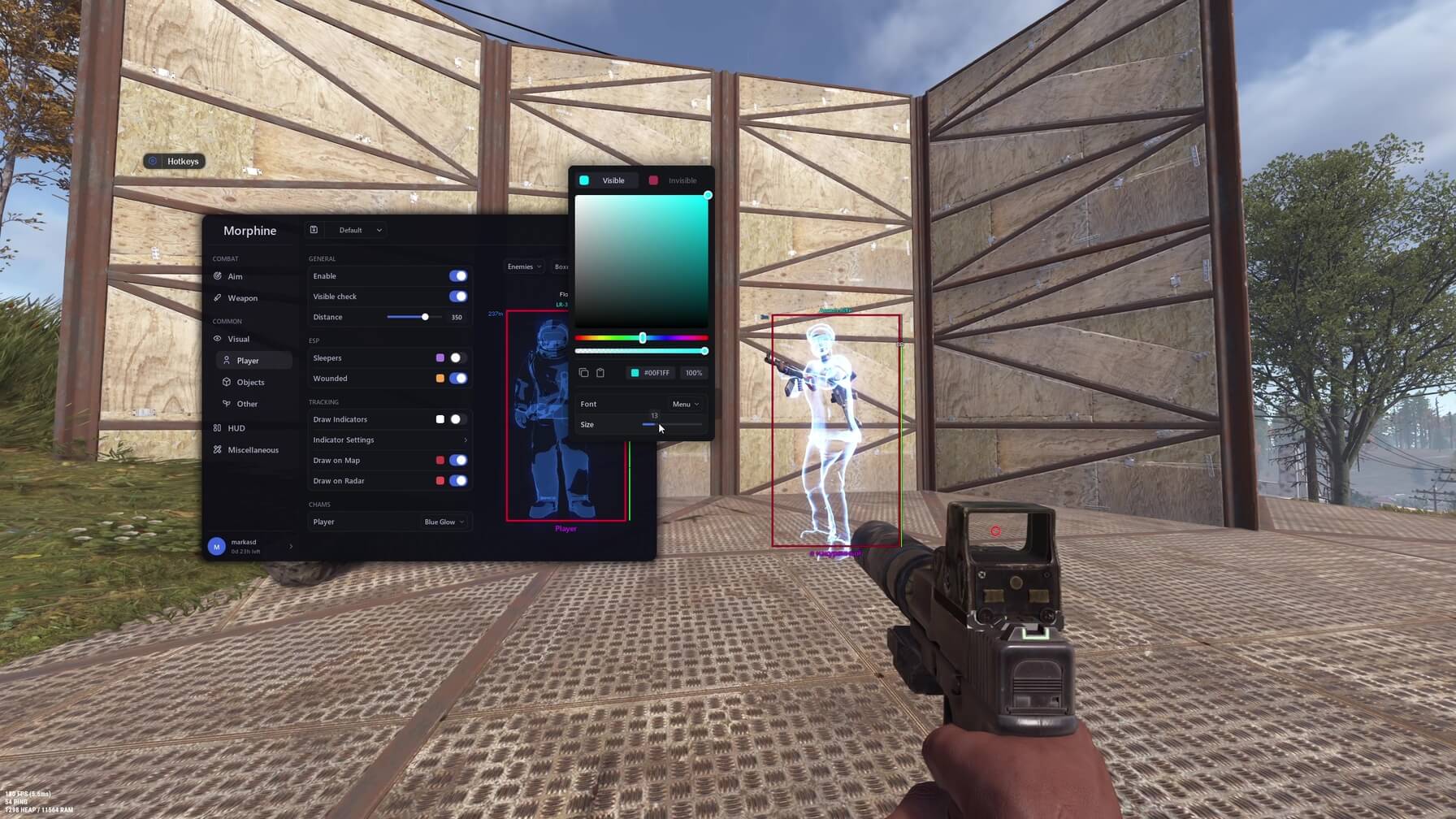
Cheat for RUST
Functions Aim Enable Visible Check Silent Target NPC Smooth Hitchance FOV Draw FOV Line to Target Aim Bone Hitbox Override Override Bone Weapon Recoil Compensation No Recoil No Spread Shotgun No Spread Fast Bullet Rapid Fire Fat Bullet Always Shoot Instant Eoka Instant Bow Instant Compound Player ESP Enable Visible Check Distance Sleepers Wounded Draw Indicators Draw on Map Draw on Radar Player Chams Boxes Skeleton Health Bar Nickname Distance Tag Team ID Flags Held Item Item Icon World ESP Sleeping Bag Cupboards Workbenches Gun Trap Turret Sam Site Flame Turret Land Mine Corpses Backpacks Dropped Items Vehicles Mini Copter Scrap Heli Bicycle Motor Bike Horse Boat Resources Sulfur Metal Stone Hemp Crates Events Raid ESP Animals Bradley Chinook Patrol Heli HUD Copy Steam Link Clothes Hotbar Hitmarkers Rocket Helper Local Bullet Tracer World Bullet Tracer Radar Bullets Reload Bar Raycasting Hand Chams Gun Chams Bind Island Watermark FPS Counter Server Info Radar Movement Infinity Jump Spider Always Sprint Loot Fast Loot Instant Revive Loot Tied Crates Silent Melee Silent Farm Drop All Items Weapon Visual No Weapon Bob No Weapon Lower No Weapon Animation Misc Battle Mode Change Hand Position Remove Layers Debug Camera Third Person Zoom FOV Changer Aspect Ratio World Visual Bright Ambient Fog Color Sky Color Change Clouds Change Stars Change Time Change Atmosphere Change Weather
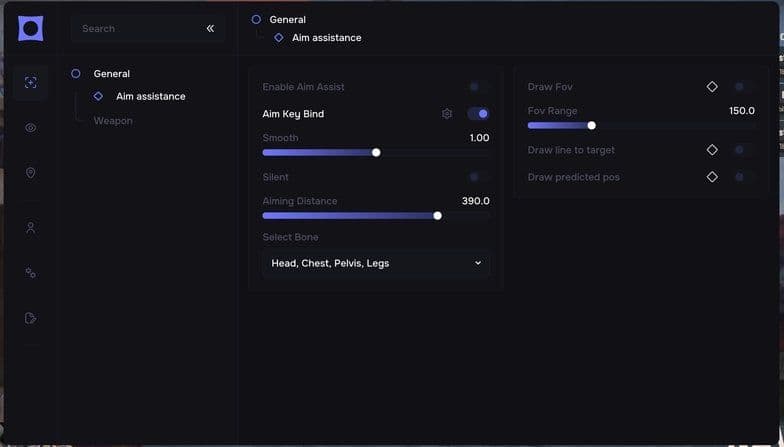
Cheat for RUST
### AIM - Enable Aim Assist - Aim Key Bind - Silent Aim - Smooth - Draw FOV - FOV Radius - Aiming Distance - Draw Line To Target - Draw Predicted Position - Select Bone - No Recoil - Fast Eoka - Semi Automatic - Always Shoot - No Spread - No Sway - Insta Compound - Insta Bow - Rapid Fire ### PLAYER ESP - Enable - Render Distance - Box - Box Type - Filled Box - Skeleton - Skeleton Thickness - View Direction - View Direction Length - Player Name - Player Distance - Player Weapon - Team ID - Teammates - Sleepers - Wounded - Scientist - Notify When Looking At You - Enable Arrows - Show Guns - Blinking - Blinking Speed - Arrow Size - Arrow Radius - Hotbar Belt - Hotbar Wear - Hotbar Type - Hotbar Size - Enable Radar - Radar Opacity - Lines - Lines Opacity - Lines Thickness - FOV Zone - Player Size - Radar Size - Radar Scaling ### WORLD ESP - Enable Text ESP - Enable Farm ESP - Farm Distance - Enable Farm Distance - Enable World Item ESP - World Distance - Enable World Item Distance - Sulfur - Metal - Stone - Hemp - Crates - Cupboards - Sleeping Bags - Workbench 1 - Workbench 2 - Workbench 3 - Gun Trap - Turret - SAM Site - Flame Turret - Land Mine - Dropped Items - Corpses - Backpacks - Mini Copter - Scrap Heli - Pedal Bike - Motor Bike - Horses - Boats ### MOVEMENT - Spider - Always Sprint - Fly Hack - Fly Hack Bind - Fly Speed - Speed Hack - Speed Hack Speed - Interactive Camera - Interactive Camera Bind ### MISC - Aiming With Heavy - No Animation - Aspect Ratio - Aspect Ratio Value - Fast Loot - FOV Changer - FOV - Zoom - Zoom Bind - Zoom Value - Remove Layers - Remove Layers Bind - Change Time - Time - Change Stars - Stars Size - Stars Bright - Bright Ambient - Ambient Multiplier Night - Bright Cave - Ambient Multiplier Day - Enable Sky Changer - Rainbow Colors - Sky Color Changer - Light Color Changer - Cloud Color Changer - Sun/Moon Color Changer - Fog Color Changer - Crosshair - Reload Bar ### CONFIG / VISUALS - Battle Mode - V-Sync - FPS Render Limit - FPS Limit Range - Player Chams - Weapon Chams - Hand Chams - Fix Chams Material - Test Get Camera - Custom Color - Menu Scale - Animation Speed - Save Config - Load Config - Delete Config
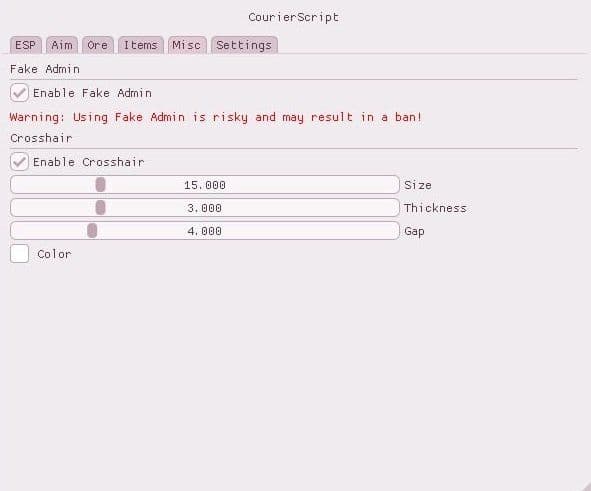
Cheat for RUST
### ESP - Show Players - Show Sleepers - Show Names - Show Distance - Box Settings (2D / Corners) - Lines to Players - Show Player Points - Max Distance ### Misc - Fake Admin (Risk) - Crosshair ### Aimbot (Risk) - Enable Aimbot - FOV - Max Distance - Smooth - Aimbot Key ### Items - Creatures - Animals - Dropped Items - Vehicles & Traps - Corpses - Gun Trap - Hackable Crate - Normal Crate - Military Crate - Minicopter - Tool Cupboard - Max Distance ### Ore - Stone Ore - Sulfur Ore - Metal Ore - Hemp - Max Distance ### Settings - Menu Toggle Key - Unload Key - Show FPS
Cheat for RUST
### Admin Features - F2 — Enable Admin Mode - Player ESP - ESP Update Rate (culling.entityupdaterate 750) - Server Time Control (global.admintime) - Server Time Reset (-1) ### Camera - Debug Camera (printeyes) - Key Bind Support - Example Bind: bind p printeyes ### Misc - Wall Climb (F4) - No Recoil (F5) - No Sway (F6)
Cheat for RUST
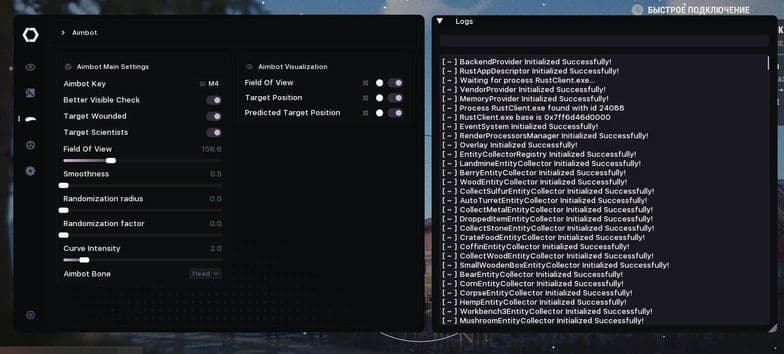
### PLAYERS ESP – ENEMIES - Enable - Name - Distance - Held item - Belt items - Sleeping flag - Wounded flag - Held item icon - Show sleepers - Chams - Chams material ### ENEMY SKELETONS - Enable - Color - Outline - Skeleton thickness - Outline thickness ### ENEMY BOX ESP - Enable - Render distance - Draw box - Box type - Corner length X - Corner length Y - Colorize - Color - Outline - Thickness - Rounding ### ENEMY LABEL ESP - Name - Distance - Held item - Belt items - Sleeping flag - Wounded flag - Colorize - Color - Text scale - Min text size - Max text size - Scale distance - Text size - Transform - Outline - Anchor - Offset X - Offset Y ### ENEMY IMAGE ESP - Held item icon - Color - Anchor - Icon scale - Min icon size - Max icon size - Scale distance - Size - Rounding - Offset X - Offset Y ### PLAYERS ESP – TEAMMATES - Enable - Name - Distance - Held item - Belt items - Sleeping flag - Wounded flag - Held item icon - Show sleepers ### TEAMMATE SKELETONS - Enable - Color - Outline - Skeleton thickness - Outline thickness - CREATURE ESP - Enable - Name - Distance ### CREATURES - Horse - Bear - Boar - Chicken - Stag - Wolf - Zombie - Scientist ### COLLECTABLES ESP - Enable - Name - Distance ### COLLECTABLES - Hemp - Mushroom - Pumpkin - Corn - Berry - Potato - Collect Sulfur - Collect Stone - Collect Wood - Collect Metal - Dropped item - Corpse ### RESOURCES ESP - Enable - Name - Distance ### RESOURCES - Wood - Metal - Sulfur - Stone ### STRUCTURES ESP - Enable - Name - Distance ### STRUCTURES - Workbench 1 - Workbench 2 - Workbench 3 - Tool cupboard - Large wooden box - Small wooden box - Wooden barrel - Coffin - Barrel - Crate basic - Crate elite - Crate mine - Crate normal - Crate food - Crate medical - Crate tools - Crate underwater advanced - Crate underwater basic - Airdrop - Auto turret - Flame turret - Gun trap - Landmine - Bear trap ### RADAR - Enable - Render distance - Window type - Rounding - Size X - Size Y - Background color - Border color - Border thickness - Show center - Center type - Center color - Use direction - Show direction ### RADAR PLAYERS – ENEMIES - Enable - Name - Distance - Held item - Sleeping flag - Wounded flag - Held item icon - Show sleepers ### RADAR POINT - Enable - Render distance - Point type - Colorize - Color - Size ### RADAR LABEL - Name - Distance - Held item - Sleeping flag - Wounded flag - Colorize - Color - Text size - Transform - Outline - Anchor - Offset X - Offset Y ### RADAR IMAGE - Held item icon - Color - Anchor - Size X - Size Y - Rounding - Offset X - Offset Y ### RADAR – TEAMMATES - Enable - Name - Distance - Held item - Sleeping flag - Wounded flag - Held item icon - Show sleepers ### RADAR CREATURES - Enable - Name - Distance ### RADAR COLLECTABLES - Enable - Name - Distance ### RADAR RESOURCES - Enable - Name - Distance ### RADAR STRUCTURES - Enable - Name - Distance ### AIMBOT - Aimbot key - Better visible check - Target wounded - Target scientists - Field of view - Smoothness - Randomization radius - Randomization factor - Curve intensity - Aimbot bone ### AIMBOT VISUALIZATION – FOV - Enable - Color - Thickness - Fill - Fill color - Outline - Outline thickness ### TARGET POSITION - Enable - Color - Type - Circle size - Circle fill - Fill color - Thickness - Outline - Outline thickness ### PREDICTED TARGET POSITION - Enable - Color - Type - Circle size - Circle fill - Fill color - Thickness - Outline - Outline thickness ### COMBAT - Always automatic - Recoil scale X - Recoil scale Y - Spread scale ### EXPLOITS - Bullet thickness - Bullet thickness value - Instant eoka - Instant bow - Long melee - Remove layers ### GENERAL - Language (English, Russian) - Vertical synchronization - Menu snow - Menu background blur - Overlay priority - OBS bypass
Cheat for RUST
Aimbot - Highly configurable! - Visibility checks - Bone Selection - FOV & Smoothing - Lock target & Switch target after kill - Only aim with guns - Only aim at dangerous - Skip NPC - Helicopter Aimbot - Visual ESP - Highly configurable! - Players - NPCS - Animals - View players inventory ITEM ESP - Barrels, Boats, Bear Traps, BradleyAPC, Bradley Crates, Cars, Car Modules, Corn, Crates, Cupboards, Doors, Dropped Items, Elite Crates, Flame Turrets, Gift Boxes, Gun Traps, Hemp, Helicopters, Helicopter Scrap, Heli crates, Hot Air Balloons, Land Mines, Metal Collectibles, Metal Nodes, Military Crates, Mini-copters, Mushrooms, Oil Barrels, Player Corpse, Present Drops, Pumpkins, Ride-able Horses, Sleeping Bags, Stashes(Hide dug up stashes), Stone Collectibles, Stone Nodes, Sulfur Collectibles, Sulfur Nodes, Supply Drops, Trash Piles, Auto Turrets, Sam Sites, Wood Collectibles RADAR - Players & Sleepers - Animals - NPC - WEAPON - Bullet speed multiplier - No recoil (modifier from 0% to 100%) - No spread - No sway - Thick/wide bullet (configurable as a toggle or active key) - Instant Eoka MISC - Spider-man (Ability to climb up buildings/walls etc) - Admin flag (Ability to use certain commands such as `Debug Camera`") - No fall damage - Always day (Ability to choose what time to set) - Bright Caves - Silent farm (Farm trees & nodes without interacting with them) - Fly Hack - Auto Collect (Picks up items automatically without having to interact or look at them – Hemp/Mushrooms/weapons/ammo/ore collectibles etc.) - Instant Heal (Faster use of bandages & syringes as well as auto healing) - Auto close doors - Silent melee (Visible targets only) - Instant revive - Silent aim - Walk on water - Gravity modifier - Battle mode - Toggleable mode. Configure exactly what should be visible for player esp and item esp while toggled on. Very useful for when you want a clearer screen during fights.
Cheat for RUST
FUNCTIONS: AIMBOT Aimbot settings — Aimbot Settings - Active (Key Bind Selection) — Activate Tab - Team check — Team Check - Ignore sleepers — Ignore Sleepers - Visible check — Visibility Check - Type (Slider Selection) — Type (Silent — Invisible, Mouse — Visible via Mouse) - Bone (Slider Selection) — Bone (Nearest, Head, Pelvis, Chest) - FOV (1-300) — FOV (Radius) - Time to aim — Time to Aim - On target delay — Target Change Delay - Max distance (1-400) — Max Distance Visual components - Draw FOV — Draw FOV - Draw aim target — Draw Aim Target VISUALS Characters - NPC — Display NPCs, including static ones - Sleeper — Display Sleepers - Skeleton (Color Selection) — Skeleton Display (Color Selection) - TeamID (Color Selection) — Team ID Display (Color Selection) - Nickname (Color Selection) — Nickname Display (Color Selection) - Held item — Display Active Item in Hand - Quick slots — Display Quick Slot Items as a List - 3D Box — Display Characters Inside a 3D Box - Distance — Display Distance to Characters - Max distance for player (1-400) — Max Distance for Players - Max distance for NPC (1-400) — Max Distance for NPCs Characters corpse - Active (Color Selection) — Activate Tab (Color Selection) - Distance — Display Distance to Player Corpses - Max distance (1-400) — Max Distance for Player Corpses Animals corpse - Active (Color Selection) — Activate Tab (Color Selection) - Distance — Display Distance to Animal Corpses - Max distance (1-400) — Max Distance for Animal Corpses Animals - Active (Color Selection) — Activate Tab (Color Selection) - Horse — Display Horses - Bear — Display Bears - Boar — Display Boars - Stag — Display Stags - Wolf — Display Wolves - Shark — Display Sharks - Chicken — Display Chickens - Display health — Display Animal Health - Horse energy — Display Horse Energy - Distance — Display Distance to Animals - Max distance for horse (1-400) — Max Distance for Horses - Max distance for other (1-400) — Max Distance for Other Animals Vehicles - Active (Color Selection) — Activate Tab (Color Selection) - Minicopter — Display Minicopters - Modular car — Display Modular Cars - Drones — Display Drones - Bike — Display Bikes - Motorcycle — Display Motorcycles - Snowmobile — Display Snowmobiles - Submarines — Display Submarines - Tugboat — Display Tugboats - Rowboat — Display Rowboats - RHIB — Display Military Boats - Diver propulsion — Display Diver Propulsion Devices - Attack helicopter — Display Attack Helicopters - Scrap helicopter — Display Scrap Helicopters - Health — Display Vehicle Health - Distance — Display Distance to Vehicles - Max distance (1-400) — Max Distance for Vehicles Traps - Active (Color Selection) — Activate Tab (Color Selection) - Shotgun trap — Display Shotgun Traps - Auto turret — Display Auto Turrets - Flame turret — Display Flame Turrets - Snap trap — Display Snap Traps - Can alarm — Display Can Alarms - Landmine — Display Landmines - SamSite — Display SAM Sites - NPC turrets — Display NPC Turrets in Safe Zones - Status — Display Trap Status - Health — Display Trap Health - Max distance for SamSite (1-400) — Max Distance for SAM Sites - Max distance for other (1-400) — Max Distance for Other Traps LOOT Extractables - Wood — Display Wood Nodes - Stone — Display Stone Ore Nodes - Metal — Display Metal Ore Nodes - Sulfur — Display Sulfur Ore Nodes - Distance — Display Distance to Resources - Max distance (1-400) — Max Distance for Resources Collectibles - Stone — Display Collectible Stone - Metal — Display Collectible Metal - Sulfur — Display Collectible Sulfur - Wood — Display Collectible Wood Stumps - Hemp — Display Hemp - Diesel — Display Diesel Fuel - Distance — Display Distance to Collectibles - Max distance for diesel (1-400) — Max Distance for Diesel Fuel - Max distance for other (1-400) — Max Distance for Other Collectibles Radtown loot - Active — Activate Tab - Distance — Display Distance to Radtown Loot - Max distance (1-400) — Max Distance for Radtown Loot Food - Active — Activate Tab - Food crate — Display Food Crates - Corn — Display Corn - Mushroom — Display Mushrooms - Pumpkin — Display Pumpkins - Potato — Display Potatoes - Other — Display Other Food Items - Distance — Display Distance to Food Items - Max distance (1-400) — Max Distance for Food Dropped items - Active (Color Selection) — Activate Tab (Color Selection) - Distance — Display Distance to Dropped Items - Max distance (1-400) — Max Distance for Dropped Item Other - AirDrop — Display AirDrops - Chinook crate — Display Chinook Crates (with timer) - Distance — Display Distance to Other Items Deployables - Active (Color Selection) — Activate Tab (Color Selection) - Cupboards — Display Cupboards - Storages — Display Storage Boxes - Workbench — Display Workbenches - RF receiver — Display RF Receivers - RF broadcaster — Display RF Broadcasters - Enemy tracker — Display Motion Sensors - Cupboard upkeep — Display Cupboard Upkeep Time - Distance — Display Distance to Deployables - Max distance for cupboards (1-400) — Max Distance for Cupboards - Max distance for workbench (1-400) — Max Distance for Workbenches - Max distance for other (1-400) — Max Distance for Other Deployables MISC Misc features - Draw crosshair — Display Crosshair - Anti recoil — Partial Recoil Compensation - Anti spread — Partial Bullet Spread Compensation - Anti sway — Partial Weapon Sway Compensation - Automatic weapon mode — Convert Any Weapon to Automatic - Success EOKA — EOKA Always Fires on First Try - Melee weapon improvements — Increased Melee Weapon Range and Radius - Custom time (1-24) — Set Custom Time of Day (1-24) - Fulbright — Improved Visibility in Caves - Debug camera (1-5) (Key Bind Selection) — Debug Camera Flight (Speed 1-5, Key Bind Selection) - Enemies Counter (The counter can be moved with the mouse) — Display All Enemies in Render Range (Movable SKINS Skins (Currently in Development) RADAR Radar settings (The counter can be moved with the mouse) - Active — Activate Tab - Only players — Display Only Players, Ignore NPCs - Show sleepers — Display Sleeping Players - Directions — Display Player View Direction (Line) - Name — Display Player Names - Size (50-200) — Radar Size - Text size (10-20) — Text Size - Distance — Display Distance on Radar - Draw distance — Set Radar Render Distance SETTINGS General settings - Language — Language Selection (Currently English Only) - Visuals font size (10-20) — Set Visuals Font Size - Menu toggle (Key Bind Selection) — Menu Toggle Key Bind Selection - Header — Menu Header Color
Cheat for RUST
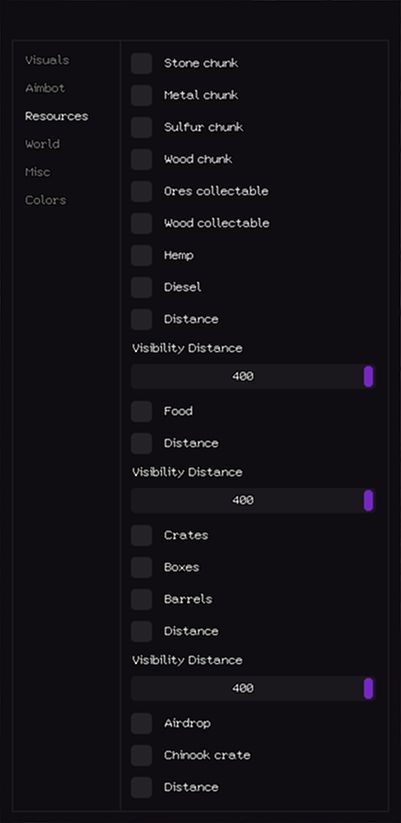
Functions Visuals - Bots — Bots - Sleepers — Sleeping/inactive players - Nickname — Player nickname - Skeleton — Player skeleton - Team ID — Team ID - Weapon — Weapon held - Quick slots — Quick access slots - Distance — Distance - Visibility Distance (1–400) — Render distance Player corpse — Player corpse - Animal corpse — Animal corpse - Distance — Distance - Visibility Distance (1–400) — Render distance Dropped items — Dropped items - Distance — Distance - Visibility Distance (1–400) — Render distance Animals — Animals - Horse — Horse - Distance — Distance - Visibility Distance (1–400) — Render distance Aimbot - Enable aimbot — Enable the aimbot - Ignore team — Ignore teammates - Aimbot Type (Silent, Mouse) — Aimbot mode: silent or mouse movement - Bone (Nearest, Head, Chest, Pelvis) — Target bone: nearest, head, chest, pelvis - Ignore sleepers — Ignore sleeping/inactive players - Visible check — Target must be visible - Target FOV (1–400) — Aimbot field of view - Mouse aimbot time (1–400) — Aimbot reaction time - Mouse end delay (1–100) — Delay after shooting - Distance limit (1–400) — Max activation distance - Draw FOV — Show FOV radius - Draw target — Show current target Resources - Stone chunk — Stone node - Metal chunk — Metal node - Sulfur chunk — Sulfur node - Wood chunk — Wood node - Ores collectable — Collectible ores - Wood collectable — Collectible wood - Hemp — Cloth plant - Diesel — Diesel fuel - Distance — Distance - Visibility Distance (1–400) — Render distance Food — Food - Distance — Distance - Visibility Distance (1–400) — Render distance Crates — Crates - Boxes — Boxes - Barrels — Barrels - Distance — Distance - Visibility Distance (1–400) — Render distance Airdrop — Airdrop - Chinook crate — Chinook supply crate - Distance — Distance World - Ground transport — Ground vehicles - Water transport — Watercraft - Air transport — Aircraft - Trains — Trains - Distance — Distance - Visibility Distance (1–1000) — Render distance Cupboard — Tool cupboard - Storage — Storage containers - Workbench — Workbench - Distance — Distance - Visibility Distance (1–400) — Render distance NFC helicopters — NFC helicopters - Bradley — Bradley APC - Cargo ship — Cargo ship - Distance — Distance - Visibility Distance (1–1000) — Render distance Deployable traps — Deployable traps - Ground traps — Ground traps - Distance — Distance - Visibility Distance (1–400) — Render distance Misc - World time / Hour (1–24) — Set in-game time - Bright world — Increased lighting - Debug camera — Debug camera (safe up to 100m) - Debug speed — Speed for debug camera - Debug bind — Hotkey for debug camera - Remove near construction — Remove nearby structures - Minimize recoil — Reduce weapon recoil - Minimize spread — Reduce bullet spread - No sway — Disable weapon sway - Automatic — Force automatic fire - Easy EOKA — EOKA fires reliably Colors - Player sleeper — Color for sleeping players - Player friend — Color for friendly players - Player text — Color for player text - NPC text — Color for NPC text - Corpse — Color for corpses - Resources — Color for resources - World — Color for world objects - Animals — Color for animals - Aimbot visuals — Color for aimbot indicators
Cheat for RUST
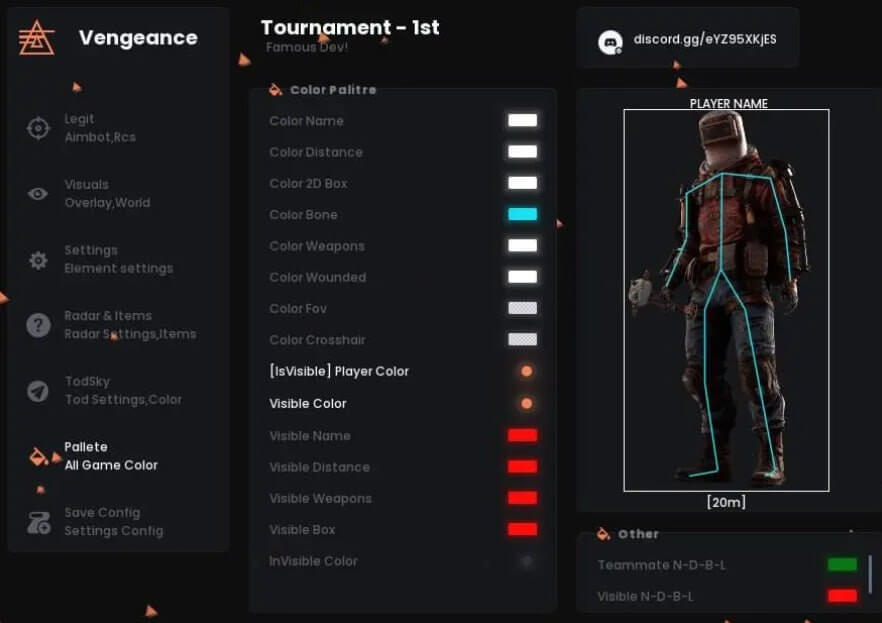
Functions Legit Aim Mouse Aim-Bot keybind Silent Aim (BETA) Silent keybind Silent Line Crosshair Teammate Smoothing AimBone Head Neck Chest Pelvis Visuals Visible Check Npc Box Type None Fill Box Bone Names Distance Weapons Sleepers Radar & Items [F] Food [T] Transport [i] Important [N] Nature [A] Animals [T] Trap [H] House Radarsettings Radar2D Only Players Items distance Traps distance Radar size X size Y size Todsky Tod Sky Changer Disable Tod Sky Stars Bright Ambient Palette Color Name Color Distance Color 2D Box Color Bone Color Weapons Color Wounded Color Fov Color Crosshair [IsVisible] Player Color Visible Color Visible Name Visible Distance Visible Weapons Visible Box Invisible Color Config Save Config Load / Unload
Cheat for RUST
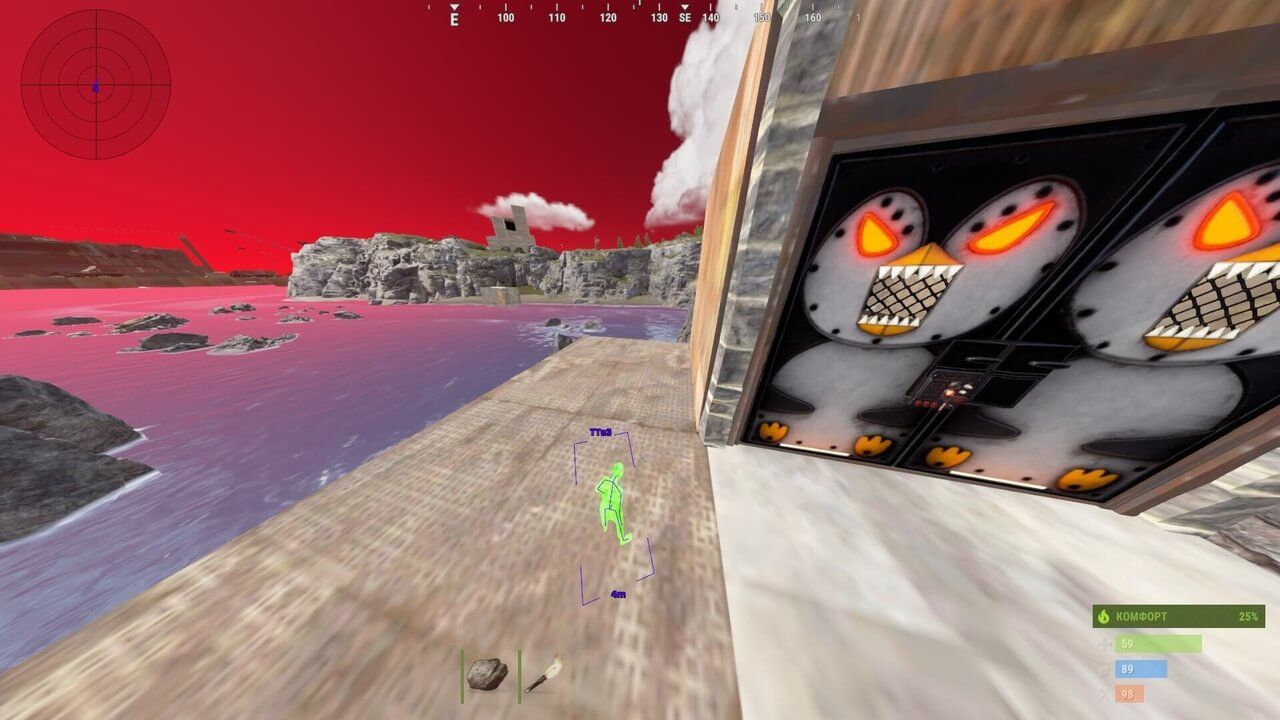
Cheat description Mason Internal is a private internal cheat for Rust, designed for players who want to dominate every raid with ease. It includes a powerful Aimbot with customizable FOV and smooth aiming, advanced ESP for players, loot, vehicles and animals, and a precise Radar to control the battlefield. The cheat offers deep configuration — selectable aim bones, projectile prediction, item highlighting, cham materials, distance indicators and more. Regular updates keep the software up to date while maintaining clean visuals and performance.
Cheat for RUST
Players: - Esp Skeletone - Esp Boxes 2D - Esp Lines - Esp Distance - Esp Names - Esp Healrh - Item in Hands - Sleep Players - Bots [PNC`s] - Corpses - Max Distance AimBot [BAN RISK!] - Bone - Butoon - Draw FOV - AimDistance - Show Aim Marker Other: - Stone Ores - Metal Ores - Sulfur Ore - Wood Collectable - Sulfur Collectable - Stone Collectable - Metal Collectable - Diesel Collectable - Crates - Animals - Barrels - Food - Hemps - BackPacks - Vehicles - Doors - Boxes - Deployables - Turrets - Traps - Dropped Items - Stashes - Max Distance
Cheat for RUST
Aimbot - Enable Silent Aim - Enable Aim - Prediction - Fov - Smooth - Aim Key - Bone to Aim - Sleeper Check - Team Check - Knock Check - Visible Check - Prediction Point - Target Aim - Aim Distance ESP - Enable ESP - Bot ESP - 2D Box - Player Sleeper ESP - Player Wounded ESP - Player Corpse - Player Nickname - Player Active Weapon - Ignore Sleeping - Chams - Filled Text Esp - Filled Box Esp Traps - Gun Trap ESP - Auto Turret ESP - Flame Turret ESP - Land Air Turret ESP Transport - Helicopter ESP - Minicopter ESP - Cow ESP - Boat ESP - Big Boat ESP - Cargo ESP - World ESP - Air Drop - Stash ESP - Hemp ESP - Loot Box Small - Loot Box Big - Sleeping Bag - Low Create - Higt tier Create - Dropped Items - Cupboard ESP - Show Auth Cupbord - Ore ESP - Ore ESP - Ore Name - Ore Distance Weapon - Recoil Control - No Spread - No Spread ShotGun - No Recoil - No Sway - Fast Bow - Fat Bullet - Run and Hit - Automatic Misc - No Fall Damage - SpeedHack - LongNeck - Admin Mod - Infinite Jump - High Jump - Always Day - Third Person - Debug Camera - Disabling Game Textures
Cheat for RUST
Functions Assist Aim: Silent Aimbot (Risk) - Enables "Silent Aiming" mode (Risk MODE). Function invisibly corrects bullet trajectory towards the target, keeping visible mouse movement natural. The (BETA) mark indicates instability, and (UnSafe) - high risk of anti-cheat detection. Silent keybind - Separate key to activate Silent Aim mode. Silent Line - Visually displays the bullet trajectory line when using Silent Aim, helping to understand where the shot will be fired. Standart Aimbot (Risk) - Main AimBot switch (Risk MODE). Activates standard automatic aiming. "UnSafe" mode disables internal anti-detection mechanisms, which SIGNIFICANTLY increases the risk of ban. Use at your own risk. Aimbot keybind - Key to activate AimBot. Aiming works only when holding this key, making its usage controlled and natural. FOV Radius - Displays Fov, within its capture radius Silent or Aimbot will hit it. Crosshair - Enables display of static crosshair in the center of the screen. Smoothing Aimbot - Aiming smoothing strength. High values create smooth, human-like movement, not sharp robotic jerks. Key setting for legitimacy. Body aimbot - Menu for selecting the bone to aim at. Head - Head (maximum damage, high risk). Neck - Neck (good balance of damage and stealth). Chest - Chest (reliable and legit option). Pelvis - Pelvis (less damage, but larger hit area and stability). No Recoil (Risk) - Complete absence of recoil (Risk). Completely removes weapon recoil. Very noticeable and easily detectable function. Value X - Manual adjustment of horizontal recoil suppression. Value Y - Manual adjustment of vertical recoil suppression. Spread - Bullet spread reduction (percentage of original value). Visuals: Scientist/Bot - Enables display of information for non-player characters (bots, mutants, animals). Box Type - Selection of the type of frame displayed around the target. Skelet - Enables display of opponent's skeleton. Visible Teammates - Show teammates that you add/or that are added to your group. Player Name - Displays in-game nicknames above players' heads. Distance - Shows distance to target in meters. Weapons - Displays the name of the weapon in the opponent's hands. Sleepers - Enables highlighting of players who are in a "sleep" or inactive state. Stream Proof - Allows you to hide software from all streaming/recording applications or to bypass checks. Visible Check - Visibility check. The basis of legitimacy. Displays information only about opponents you can see directly (not through walls). Enable 2D Radar - Activates a 2D Map with Radar and a convenient loot/player interface. Battle Mode Radar - Removes all items from the radar, leaving only players. Zoom Radar - Zooms in on the 2D Map to make the enemy appear clearer (recommended). Radar size - Radar and 2D Map size changes. X size - Radar width. Y size - Radar height. Distance Drop Items - Maximum distance for displaying items. Distance Traps - Maximum distance for displaying traps. Tod Sky - Allows changing the time of day and sky at your discretion. Stars Sky - Adjusts visibility of stars on the night sky. Bright Ambient - Increases overall brightness and visibility of ambient lighting, making dark areas lighter. Stars - The number of stars in your game world. Bright - How bright will the stars shine. Misc: OmniSprint - Sprint with weapon ready. Allows running at maximum speed with any weapon in hand (usually running speed with weapon is reduced). Fast Loot - Fast looting. Automatically and instantly collects all items from containers or bodies. Spider (Risk) - "Spider" mode. Allows climbing on any walls and surfaces. AdminFlag(Risk) - Administrator status imitation (Risk). Attempts to deceive the server into thinking you are an admin. Extremely risky, easily detected and leads to permanent ban. SuperMelee - Super melee. Increases the range and/or hits of melee weapons. No Animation Weapon - Disabling weapon animations. Removes weapon animations. Player Camera Fov - Change the position of your camera by zooming in and out. Fov Size Camera - Camera distance size. Zoom Distance - Camera zoom distance. Debug Camera (Risk) - Free view camera. Allows separating the camera from the character's body to survey the area. Reload Indicator - Reload indicator. Visual or audio signal notifying of weapon reload completion. Fast Composite Bow - Smart bow. Removes delay from Compound Bow. 100% Eoka - 100% Eoka trigger. Guarantees that the handmade Eoka pistol will fire on every attempt (in the original it often misfires). Player Inventory Info - Display of belt items. Shows which items (weapons, medicines) are on other players' belts. Remove Layers - Layer removal. Remove Constructions - Removes certain constructions (walls, doors) for viewing. Illegitimate. Remove Water - Removes or makes water transparent. Remove Terrain - Simplifies or removes landscape elements (grass, small stones) for better visibility. Remove Layers keybind - Key for quickly enabling/disabling the layer removal function. Items: Item categories to filter on radar/world: Food/Vegetables - Food. World Transport - Transport. Useful Important - Important resources (useful minerals, components). Mineral Nature - Natural resources (trees, stones). All Animals - Animals. Trap Tricky - Traps. House Items - Containers, boxes, storage. Save Config: Save Config - Save current settings to a file. Load/Unload - Load or unload a previously saved config.
Cheat for DMA
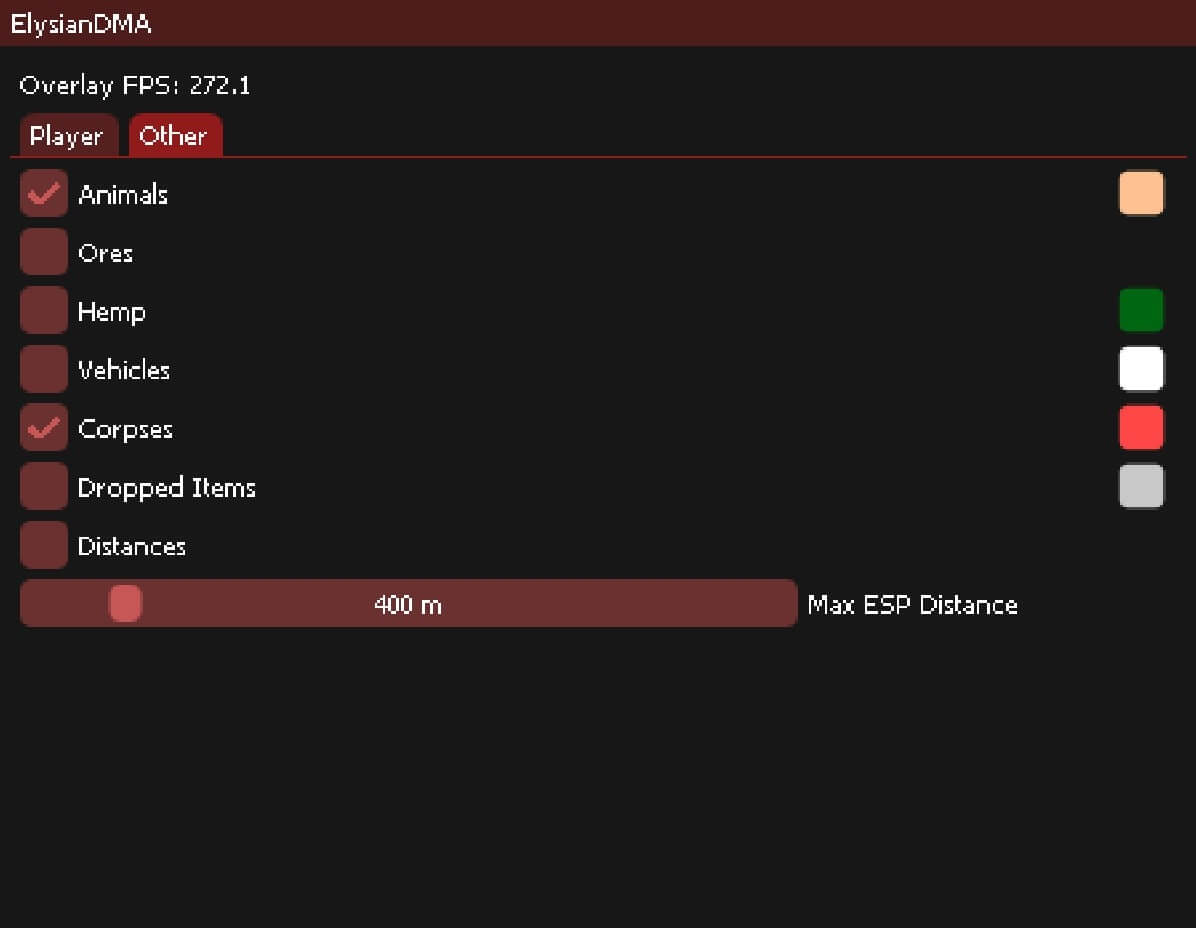
Functions Player: Esp players Esp teammates Esp scientists Esp sleepers Esp names Esp player teams Esp boxes 2d Esp held item Esp distances Max esp distance Other: Esp animals Esp ores(sulfur, stone, metal) Esp hemp Esp vehicles Esp corpses Esp dropped items Esp distances Max esp distance
Cheat for RUST
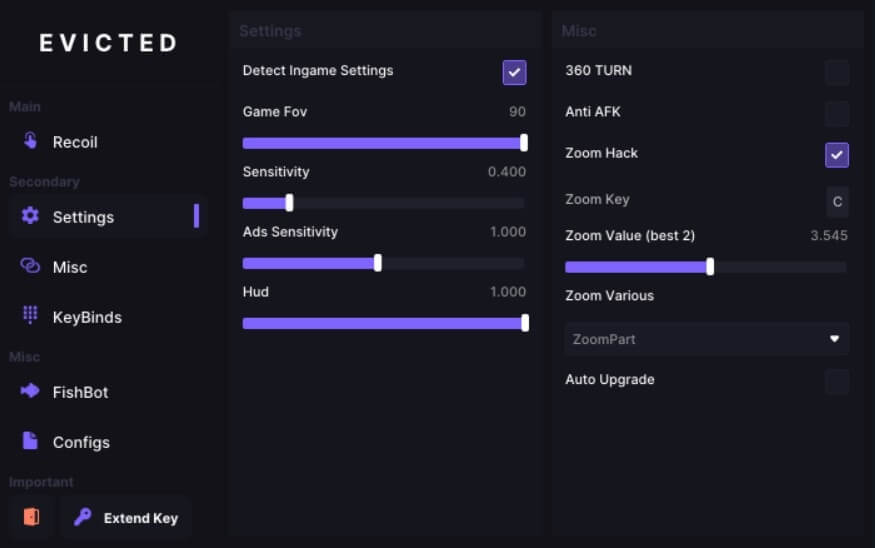
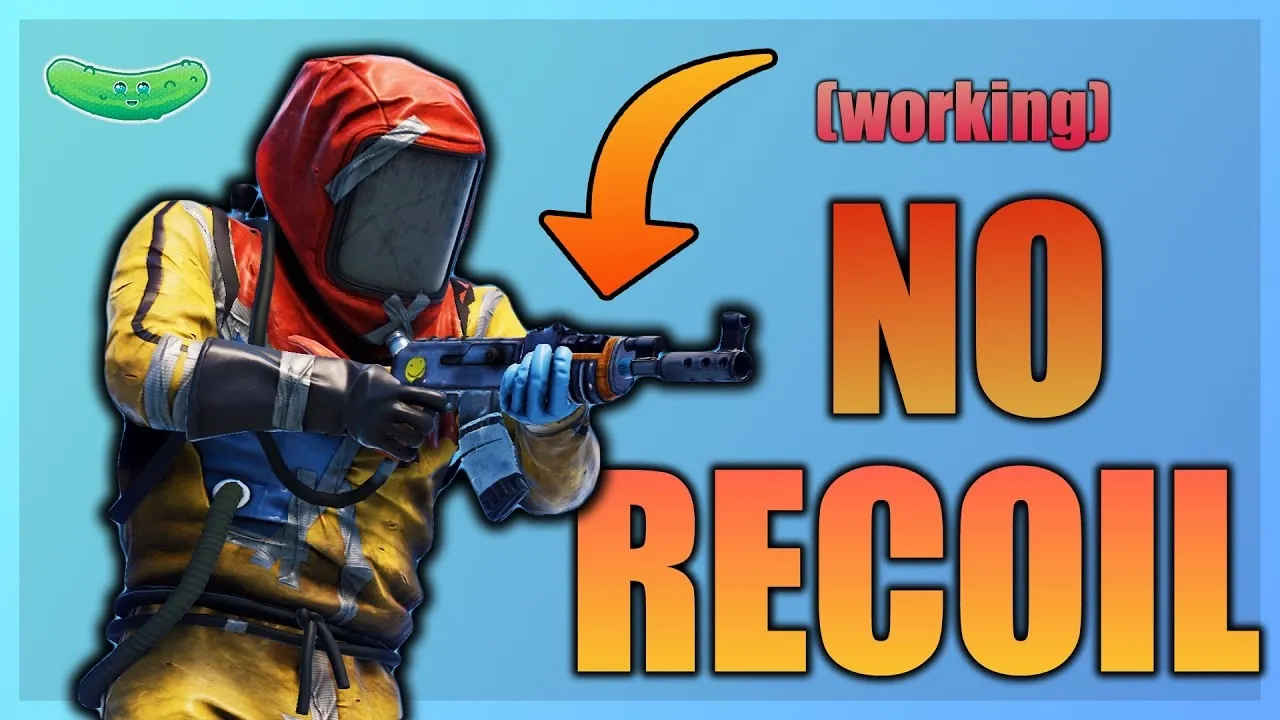
Functions RECOIL - Disable Recoil (ON/OFF) - Mode (Toggle / Hold) - Position (Stand / Crouch / Prone) - Weapon-Specific Patterns - Scope & Attachment Detection - Smoothness Control (0.00 - 1.00) SETTINGS - Individual Scope Sensitivities - General Sensitivity Control - Vertical Multiplier - Shoulder / Ironsight Sensitivity - Scope Sensitivity (2x / 3x / 4x / 6x / 8x / 15x) - RapidFire Mode (Per Weapon) - Adjustable RapidFire Delay (ms) - Anti-AFK - Notification Hints MISC - Enable Lag Switch - Enable Zoom Hack - Mini Overlay - Adjustable Zoom Value - Adjustable Duration & Delay - Lag Switch Method Selection - Traffic Control (Inbound / Outbound) - ZoomScreen & ZoomVarious Modes KEYBINDS - Toggle Fire Mode - Side Aim - Hold Breath - Slot 1 / Slot 2 / Slot 3 - Crouch / Prone / Interact / Inventory - Menu Key CUSTOMIZE - Custom Color - Load / Save Config - English / Russian Language Selection
Cheat for RUST
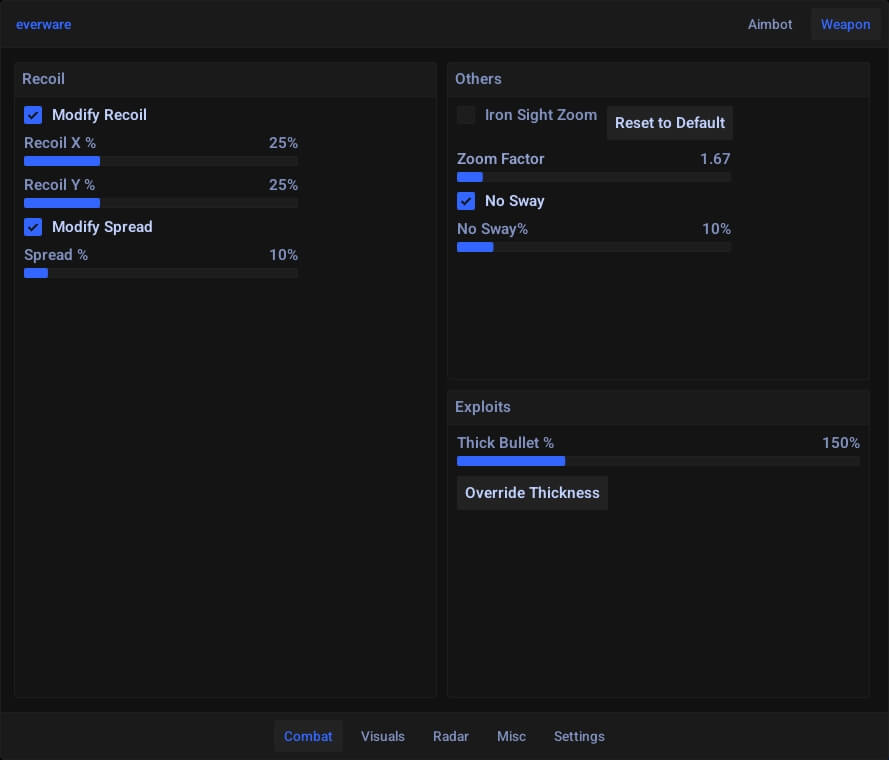
Functions No Recoil No Recoil Recoil Percentage X ( 10% - 50% ) Recoil Percentage Y ( 10% - 50% ) Player Visuals Player ESP Player Name Player Distance Player Health Player Box Player Sleeper Ai Visuals Ai ESP Ai Distance Ai Name Traps Box Storage Auto-Turret Land-Mine Bear-Trap Gun-Trap Flame-Turret Sam-Site Building-Privlidge Sleeping-Bag Animals Bears Wolf Boar Stag Chicken Horse Item Visuals Ground Items Growable Entities Ores Ore Distance Stone Ore Metal Ore Sulfure Ores Misc Collectibles Hemp Mushroom Pumpkin Corn Berry Potato Sulfur Collectible Stone Collectible Wood Collectible Metal Collectible Diesel Fuel Vehicles Dropped Items Loot Containers Barrel Spawn Barrel Oil Barrel Loot Barrel Mine Crate Elite Crate Crate Tool Crate Basic Crate Food Crate Medical Crate Ammo Crate Fuel Crate Stash Vehicle Parts Road Signs Render Visuals Player Render Distance ( 10M - 3000M ) Player Health Render Distance ( 10M - 350M ) Vehicle Render Distance ( 10M - 3500M ) Dropped Item Render Distance ( 10M - 350M ) Collectible Render Distance ( 10M - 350M ) Traps Render Distance ( 10M - 350M ) Loot Render Distance ( 10M - 350M ) Ores Render Distance ( 10M - 350M ) Text Scaling ( 50% - 300% ) Colors Visuals Player Text Colors Crosshair Colors Player Team Colors Player Enemy Invisible Colors Player Enemy Visible Colors Ai Invisible Colors Ai Visible Colors Stone Ore Colors Metal Ore Colors Sulfure Ore Colors Bears Colors Boar Colors Chicken Colors Horse Colors Stang Colors Wolf Colors Collectible Items Colors Dropped Item Colors Traps Items Colors Loot Items Colors Misc Visuals Enable ESP Vsync Overlay FPS Render Delay ( 0 - 30 ) Config 100% Configurable Menu ( On / Off, adjust values, change colors of features ) Easy Configuration Save / Load Configs Multiple Configs Import / Export Community Configs Browser Menu ( Desktop / Smartphone / Tablet )
Cheat for DMA
Functions Aimbot KMbox Makcu Silent Aim Vector Aim Max distance FOV Draw FOV Draw line to target Stick to target Retarget delay Movement prediction Local player movement prediction Bone selector Weapon settings Recoil X (%) Recoil Y (%) Spread (%) Iron sight zoom No sway (%) Thick bullet (%) Players ESP Font size Text color Show name Show distance Show team ID Max distance Show sleepers Box ESP Skeleton ESP Skeleton color Skeleton thickness Full Belt ESP Separate settings for teammates Objects ESP Show all objects Show name Show distance Max distance Font size Customizable object selector Loot ESP Show or hide each item category Unique color for each category Web Radar Enable players Enable players belt Customizable object selector Show or hide item categories with unique colors Misc Bright nights Settings Safe mode VSync on / off FPS limit Config system
Cheat for RUST
SAFETY - Private Build - Absolutely External - Events Randomization - Process Randomization - Process Protection USABILITY - Any Mouse and Keyboard - Program Autoconfiguration - Weapon Autodetection - Graphical Interface - Sound Effects
Cheat for DMA
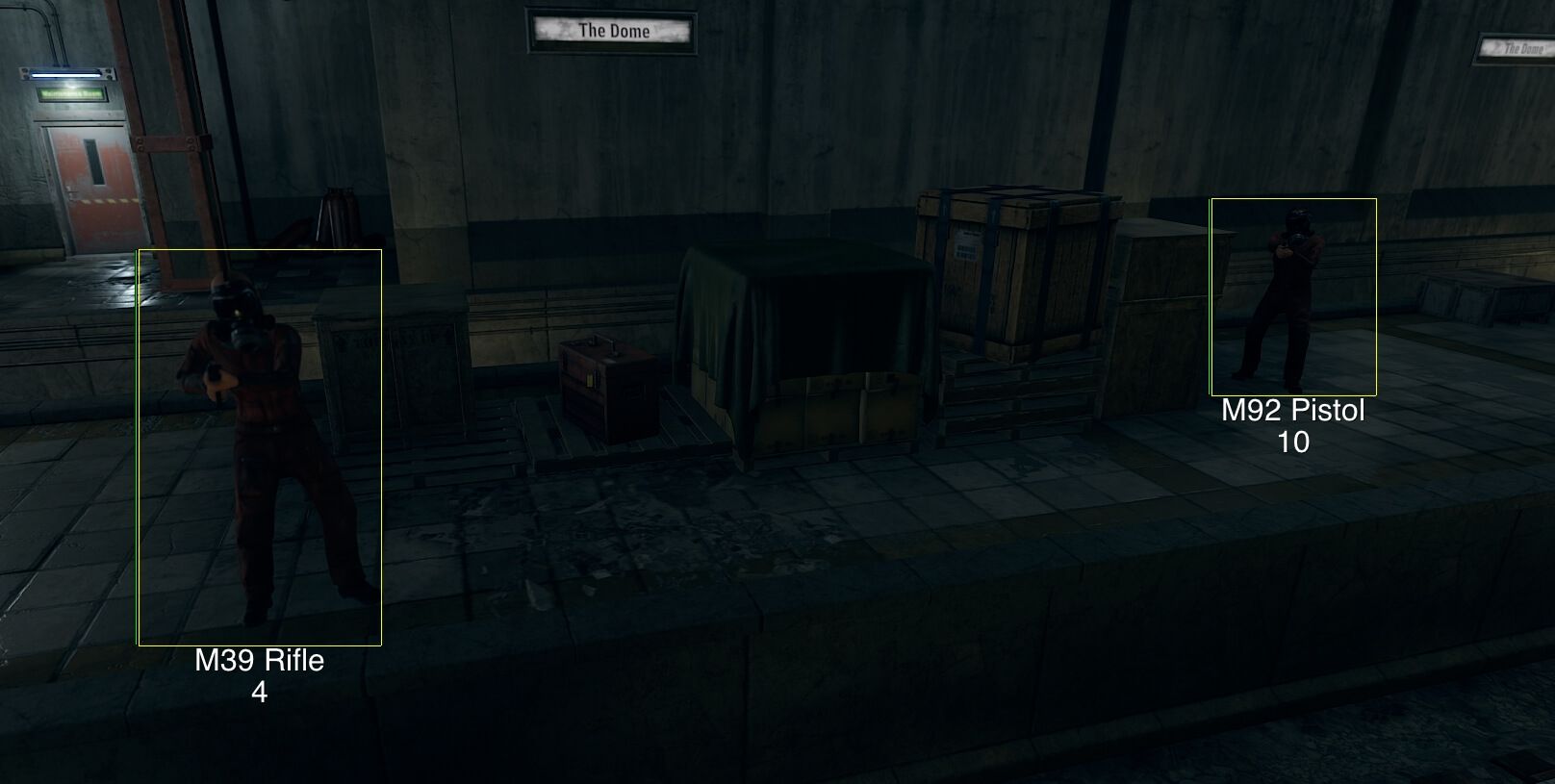
Functions Aimbot Key — aimbot keybind Smooth (Min, Max, Time) — aim smoothing control ADS Smooth (Min, Max, Time) — aim smoothing while aiming down sights FOV (not locked on, locked on, distance modifier) — FOV options for both states + distance scaling Idle Time — idle timeout before deactivation Bone Selection — select bone to aim at Weapon Group Settings — configure by weapon groups Individual Weapon Settings — configure individual weapon profiles Prediction — enable prediction Delay — delay before firing Player/NPC ESP 2D Boxes — draw 2D boxes around entities 3D Boxes — draw 3D boxes Bone ESP — show player/NPC bones Held Item — show equipped weapon or tool Name — show entity name Distance — show distance Adjustable line thickness — set box/skeleton line thickness Adjustable colors — full color customization Adjustable text scaling — change text size Adjustable text shadows — enable or disable text shadows Enemy Only — only show enemies Chams — visual overlay through walls Adjustable materials (visible, invisible) — customize chams for visibility states Note: visible materials only work with visibility check enabled (see Miscellaneous section) Item ESP Separate Raid Key — toggle raid-specific ESP Hemp — display hemp plants Shroom — display mushrooms Pumpkin — display pumpkins Corn — display corn Berry — display berry bushes Potato — display potatoes Hit Marker — display hit marker Sulfur — show sulfur Sulfur Ore — show sulfur ore nodes Stone — show stone Stone Ore — show stone ore nodes Metal — show metal Metal Ore — show metal ore nodes Wood — show wood Barrel — show generic barrels Oil Barrel — show oil barrels Workbench 1 — show tier 1 workbench Workbench 2 — show tier 2 workbench Workbench 3 — show tier 3 workbench TC — show tool cupboard Small Box — show small storage Large Box — show large storage Wooden Barrel — show wooden barrels Coffin — show coffin storage Corpse — show player corpses Boar — show boars Polar Bear — show polar bears Bear — show bears Snake — show snakes Tiger — show tigers Shark — show sharks Panther — show panthers Crocodile — show crocodiles Horse — show horses Chicken — show chickens Stag — show deer Wolf — show wolves Zombie — show zombies Basic Crate — show basic crate Elite Crate — show elite crate Mine Crate — show mining crate Crate — show general crates Food Crate — show food crate Med Crate — show medical crate Tool Crate — show tool crate Advanced Crate — show advanced crate Locked Crate — show locked crate Airdrop — show airdrops Bradley — show Bradley APC Scrap Heli — show scrap helicopter Attack Heli — show attack helicopter Mini Heli — show minicopter Recycler — show recycler Backpack — show dropped backpacks Dropped Item — show dropped items Dropped Weapon — show dropped weapons SAM Site — show SAM sites Auto Turret — show auto turrets Flame Turret — show flame turrets Shotgun Trap — show shotgun traps Gun Turret — show gun turrets Landmine — show landmines Engineer Workbench — show engineer workbench Cooking Workbench — show cooking workbench Web Radar Has everything the ESP has, in 2D form — same ESP shown on 2D radar Shareable with teammates — radar can be shared Highly configurable — supports full customization Miscellaneous Visibility Check — enables visibility checks Note: may cause stutters on standard DMA cards when loading geometry. ZDMA recommended or expect minor hitching. Always Day — forces daytime No Sway — disables weapon sway No Bob — disables weapon bobbing No Lower — disables weapon lowering animation Remarks All features can be enabled and disabled individually — every feature is toggleable Visuals can be streamed to the second PC — visuals can be mirrored to a second PC
Cheat for RUST
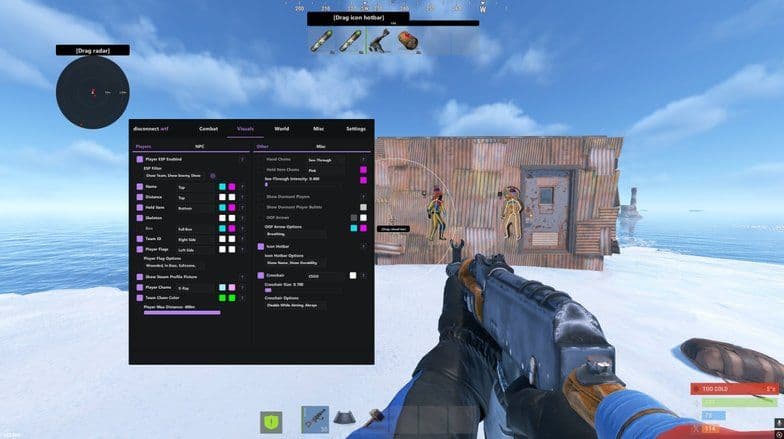
### Aimbot - Memory Aimbot - Silent Aimbot - Aimbot Bones (Head / Chest / Stomach / Pelvis) - Smoothing - Target Options (Wounded / Scientists / Sleepers / Team / Safezone) - Visibility Check - Target Line - Draw FOV - Dynamic FOV - Hit Chance (0-100%) - Target Behind Wall ### Weapon - Always Automatic - Bullet Teleport - Instant Hit - Instant Eoka - Legit Instant Eoka - Instant Bow - Thick Bullet - Recoil Modifier X / Y - Spread Modifier - Auto Reload - No Team Damage ### Player ESP - ESP Filter - Name ESP - Distance ESP - Held Item ESP - Skeleton ESP - Box ESP (Full / Corner) - Team ID - Player Flags - Steam Profile Pictures - Dormant Players - Dormant Bullets ### Visuals - Player Chams (11 Options) - Hand Chams (11 Options) - Held Item Chams (11 Options) - NPC Chams (11 Options) - Radar - Radar Distance Visualizer - Radar Auto Scale - Radar Transparency - Bullet Tracers - OOF Arrows - Crosshair (Dot / Plus / Cross / CSGO) ### NPC ESP - Name ESP - Distance ESP - Held Item ESP - Box ESP (Full / Corner) - Health Bar - NPC Chams (11 Options) - NPC Max Distance ### World ESP - Ore ESP - Collectable ESP - Dropped Weapons - Dropped Item Chams - Backpack ESP - Corpse ESP - Crate ESP - Vehicle ESP - Animal ESP - Deployable ESP - Show Distance - Max Distance ### Movement - Omni Sprint - Shoot While Jumping - No Fall Damage - Flyhack - Infinite Jump - No Player Collision - Silent Walk - Spam Break Legs - Debug Camera - Debug Camera While Dead - Remove Layers ### Misc - Zoom - FOV Changer - Time Changer - Bright Night - Instant Loot - Instant Revive - Auto Revive Teammates - Auto Pickup Collectables - Enemy In Render Alert - Friend System - Enemy System ### Indicators - Reload Indicator - Center Indicators - Target Line - Radar Distance Visualizer - Crosshair Options - OOF Arrow Options - Icon Hotbar - Hotbar Item Names - Hotbar Durability - Hotbar Item Amount ### Utility - Add / Remove Friend - Add / Remove Enemy - Bag Steam ID - Copy Steam ID - Copy Steam Link - Configs (Legit / Rage / Other) - Menu Color - Menu Language - Menu Keybind - Watermark ### Combat Misc - Pierce - Desync - Desync Auto Stop - Auto Shoot - Rapid Fire - Silent Fire - Remove Animation - Hit Material Override - Silent Aim Spread - Aimbot Lock Target ### Customization - Crosshair Size - Radar Player Size - Radar Render Distance - Player Max Distance - NPC Max Distance - See Through Intensity - Bullet Thickness - Flyhack Speed Options - Custom Colors - RGB Options
Cheat for RUST
Aimbot: High precision and smooth - Prediction enabled by default - Weapon Category: Pistols, Rifles, Snipers, Shotguns, SMG, Others - Enable - Aimbot Key - Silent Aimbot - Max Distance - Field of View - Target Preference: Crosshair, Distance - Speed - Mode: Normal, Assistance - Target Mode: Dynamic, Sticky - Target Team - Target Bots - Target Only Visible - Ignore Knocked - Visualize Target - Visualize FOV - Custom Hitbox Selection Combat - Instant Bow - Instant Eoka - Instant Compound - Rapid fire: percentage configurable - Remove Recoil: percentage configurable - Remove Sway: percentage configurable - Legit Remove Spread: percentage configurable Players ESP: Interactive ESP Preview Avaliable - Category: Enemy, Team, Bots, Sleepers - Box - Chams (green, purple, blue, white, red, orange). - Head Dot - Skeleton - Weapon - Distance - Name - Out of fov arrows - Visible Indicator - Team ID - Safe World - Prefab ESP - separated by groups, configurable with unique colors: - Items - Hemp - Metal - Stone - Sulfur - Mushroom - Corn - Pumpkin - Metal Ore - Sulfur Ore - Stone Ore - Shotgun Trap - Auto Turret - Land Mine - Bear Trap - Flame Turret Crate - Crate - Elite Crate - Mine Crate - Med Crate - Food Crate - Tool Crate - Water Crate - Brad Crate - Loot Crate - Heli Crate - Hack Crate - Airdrop - Corpse - Backpack - Player Corpse - Scientist Corpse Construction - Bag - Cupboard - Work T1 - Work T2 - Work T3 Hostiles - Bradley - Patrol Heli - Scrap Heli - Minicopter - Bear - Boar - Chicken - Wolf - Horse - Stag - Overlay FPS - Developer Mode - Debug Camera - No Admin flag required - Combat Mode - Just keep the player entity esp enabled - Instant Item Swap - Draw Player Hotbars - Raid ESP - Dropped Items Misc - Movement - Omni Sprint - works flawless, doesn't consume CPU. - Fly - Jump Shoot - Spiderman and No fall dmg - Infinite Jump - Shoot Mounted - Fast Loost - Speed Hack: percentage configurable Environment Optimizations - Remove Bush. - Remove Grass. - Remove Tree. Time - Bright Night. - Bright Caves. - Custom Time: 0h-24h. Others - Farm Assist. - Extend Meele. - No Meele Slow Down. - Suicide. - Zoom. - Zoom Ammount. - X-Ray (remove layers). Config - Load - Save - Delete - Clear
Cheat for DMA
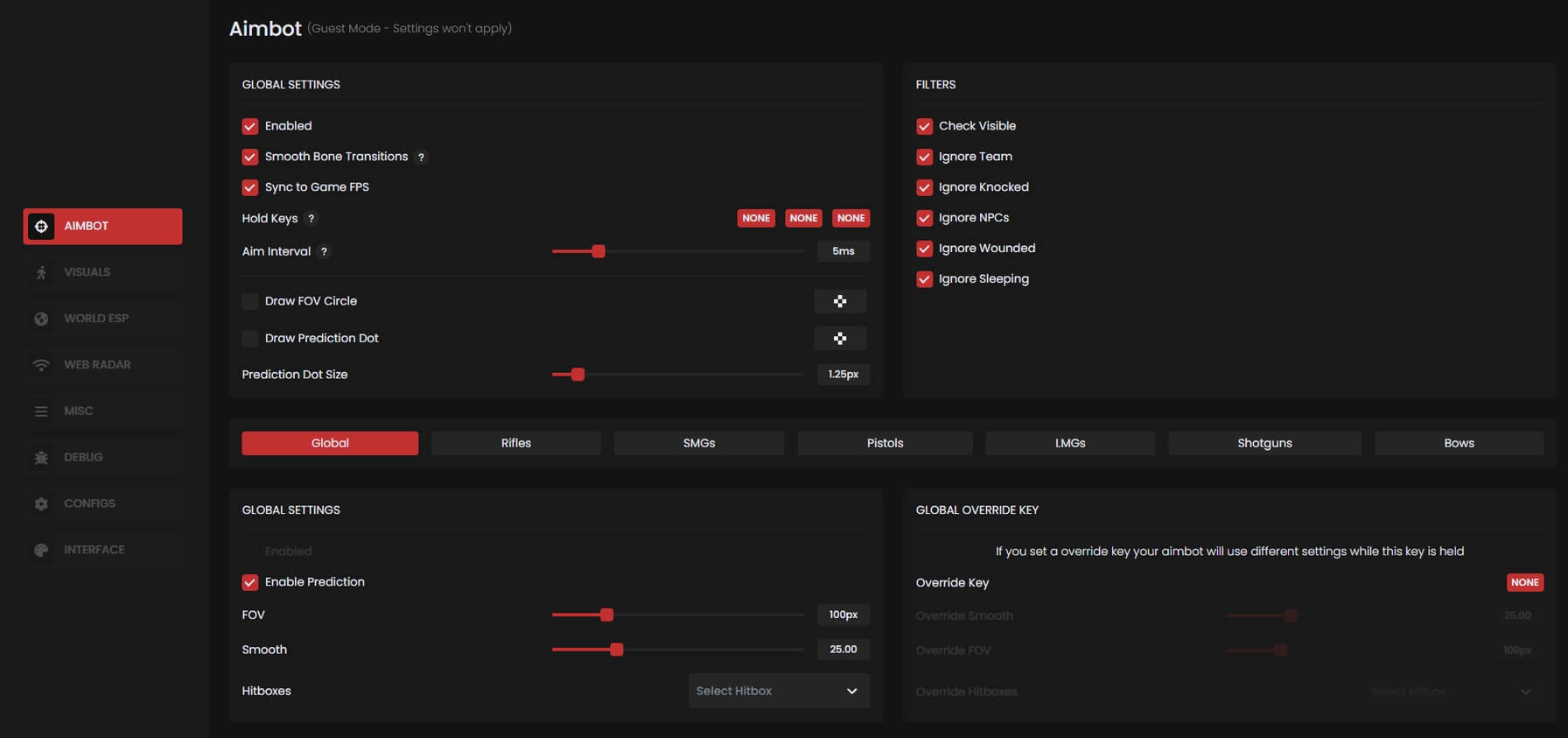
Functions AIMBOT Enable Aimbot Smooth Tracking Prediction Hitbox Selection FOV Radius Control Lock Distance Recoil Compensation Works via DMA device (read-only) RECOIL CONTROL Enable Recoil Control Supports all weapon types Precise adjustment No memory writing Safe and legit PLAYER & NPC ESP Skeleton Name Weapon Distance Player/NPC filter Display customization Color and transparency settings OBJECT ESP Object Scanning Whitelist System Wallhack for Objects Name Filtering Distance Limit DROPPED ITEMS ESP Ground Item Display Item Type Filtering Custom ESP Display Whitelist Support Custom Text/Icon Color WEB RADAR 2D Radar Overlay Accessible from any device Player and Object Tracking Sharable with friends via URL WEB MENU Browser-Based Menu Control features in real-time PC and Mobile Compatible No game window required CLOUD CONFIGS Cloud Config Support Import / Export Presets Community Config Browser Multi-profile Support

Cheat for DMA
Functions AIMBOT Player — Aimbot on players Scientist — Aimbot on NPCs Visible — Visibility check Down — Target downed enemies Circle — Draw FOV circle Prediction — Movement prediction Mag — Magnetic aim (snap) Lines — Lines to targets Body — Aim at body Key [1/2] — Hotkeys for toggle Smooth — Aim smoothing Range — Max aim distance Supports KMBox B+ Pro / KMBox Net Night Vision — Enable night vision No Recoil [0–100] — Recoil control VISUALS Sleeper — Show sleepers Box — Draw ESP box Team — Team check Held — Show held weapon Allies — Show teammates Down — Show downed players Name — Show player names Distance — Show distance Belt — Show hotbar Player Corpse — Show player corpses Drop Item — Show dropped items BackPack — Show backpacks Scientist ESP Box — Draw box Distance — Show distance Name — Show name Scientist Corpse — Show dead NPCs LOOT World Entities Vehicle: CH47 Attack Helicopter Scrap Helicopter Minicopter ModCar MotoSide Snowmobile Motorbike Hot Air Balloon RHIB Pedal Bike Catapult Siege Tower Battering Ram Ballista Motor Boat Tug Boat Animals: Polar Bear Bear Wolf Stag Boar Horse Chicken Resources: Stone Metal Sulfur Furniture ESP: Research Table Repair Bench Recycler Oven Mixing Table Tool Cabinet Workbench [T1–T3] Box [Small / Large] Furnace [Small / Large] Barrel [Lying / Standing] Battery Vending Machine Coffin Fridge Cabinet Sleeping Bag Bed Food: Hemp Potato Pumpkin Corn Mushrooms Berries Item ESP: Barrels [Red, Yellow, Blue] Crates [Tools, Yellow, Green, Basic, Elite, Pass] Parts [Vehicle, Tech] Supply Drop Diesel Trap ESP: Turrets [Shotgun, Flame, Auto] Landmines Bear Trap Drone Camera Helicopter Tank Event ESP: Xmas Gate Xmas Gift RADAR Radar — 2D Radar Aux — Radar overlays MISC RCS — Recoil control system Combat Mode — Enable combat features Menu Key — Open menu keybind Font Size — Interface font size Update DMA — Update DMA system Main — Core options

Cheat for DMA
Functions Features: High performance, real time updating 2D radar(Players, Teams, Items, Animals) 3D bone/box ESP for players, items and animals Chams Disclaimer: Chams are not stream proof and sometimes cannot be disabled without a restart. Use at your own discretion. Visual check chams Aimbot Recoil control system Admin Esp Admin Flag Interactive camera Shoot while jumping Spiderman Bright Night Bright Caves Instant Eoka Show explosions Track players TCs/Sleeping bags Loot Filter Collectibles Food Hemp Berries Ores Loot Containers Base items Misc. items Animals Vehicle Enemy Player belt and gear Full color and settings control for players, teams, loot filter category(different color per category) Export bases to Fortify with materials.
Cheat for RUST
Functions: Visuals: Player/NPC: - Show Player/NPC - Show Name - Show Bones - Show Box - Show Sleeper - Visual Check - Show In Hand - Show Health - Team - Hide Team - Show Corpses - Distance - Distance Corpses - Show Corpses Vehicle: - Show Helicopter - Show Helicopter Health - Show Bradley - Show Bradley Health - Show Flyable Helicopter - Show Boats - Show Cars - Show Horses Resources: - Metal Ore - Sulfur Ore - Stone - Wood - Hemp - Mushrooms Loot: - Foodbox - Barrel - Crate - Crate Underwater - Crate Hackable - Dropped - Stash Others: - Turrets - Supply Drop - Traps - Animals - Cupboards - Work Bench - Sleeping Bag - Show Home Radar: - Show all info on radar - Set home position on radar Aimbot: - Enable - Player Aimbot - NPC Aimbot - Helicopter Aimbot - Visible Only - Disable Team - Lock Next - Show FOV - Prediction - Bullet Drop - Aimkeys - You can choose 2 buttons with different bones Misc: - Show current game time - Debugcamera - Night Warning - Time Changer - Crosshair - Panic Key
Do you want to take over the RUST servers? Our cheats for RUST will give you a key advantage! Use the aimbot for accurate shots, ESP to highlight players, animals and loot, radar for full control of the map, anti-recoil for accurate shooting without scattering, as well as many other features.
✅ Functions:
Aimbot – automatic aiming and accurate hits 👀 ESP (BX) – highlighting enemies, animals, resources and loot Radar – full control over the movements of your opponents 🔫 Anti – recoil - stable shooting without scattering bullets 🚀 Configuration settings – flexible customization of cheats Why choose us? ✔ High protection against anti-cheat ✔ Regular updates ✔ Simple and user-friendly interface ✔ Compatible with different versions of the game
Use cheats for RUST and become a legend of the server! 🚀🔥