
Cheat for Mistfall Hunter
Choose a suitable cheat for Mistfall Hunter
Cheat for Mistfall Hunter
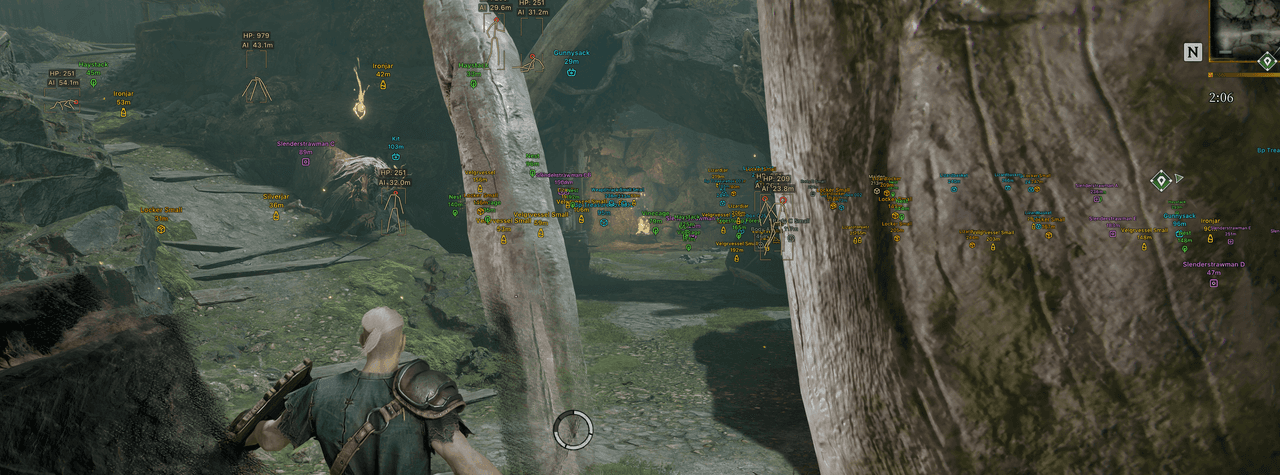
[ AIMBOT ] - Enable - Keybind - Max distance - Mode: (Always, On hold) - Target: (Players, NPCs) - Bone: (Head, Neck, Body, Pelvis) - Adaptive FOV - Draw FOV Border - Draw FOV Background - FOV Size - Smoothness - Visibility check [ EXPLOITS ] - Fullbright - FOV changer [ PLAYER ESP ] - ESP Style: (No background, With background) - Bounding box: (Box, Corner) - Fill box: (Static, Gradient) - Skeleton: (Head circle, Thickness) - View line: (Start color, End color) - Line to enemy: (Color, Position) - Health bar: (Static, Health based, Gradient) - Health text - Name - Distance - Show icon - Show team - Visibility check - Max distance [ NPC ESP ] - ESP Style: (No background, With background) - Bounding box: (Box, Corner) - Fill box: (Static, Gradient) - Skeleton: (Head circle, Thickness) - View line: (Start color, End color) - Line to enemy: (Color, Position) - Health bar: (Static, Health based, Gradient) - Health text - Name - Distance - Show icon - Show team - Visibility check - Max distance [ ITEMS ESP ] - Distance - Transparency - Max distance —— Dropped items —— - Common - Uncommon - Rare - Excellent - Epic —— Treasure —— - Containers - Portable containers - Vessels - Bodies - Effigies - Nature - Large objects - Furniture - Characters Other [ BATTLE MODE ] - Keybind - Hide players - Hide NPCs - Hide items [ SETTINGS ] - Menu key - Unload key - Crosshair - DPI scale - VSync - FPS limit
Cheat for Mistfall Hunter
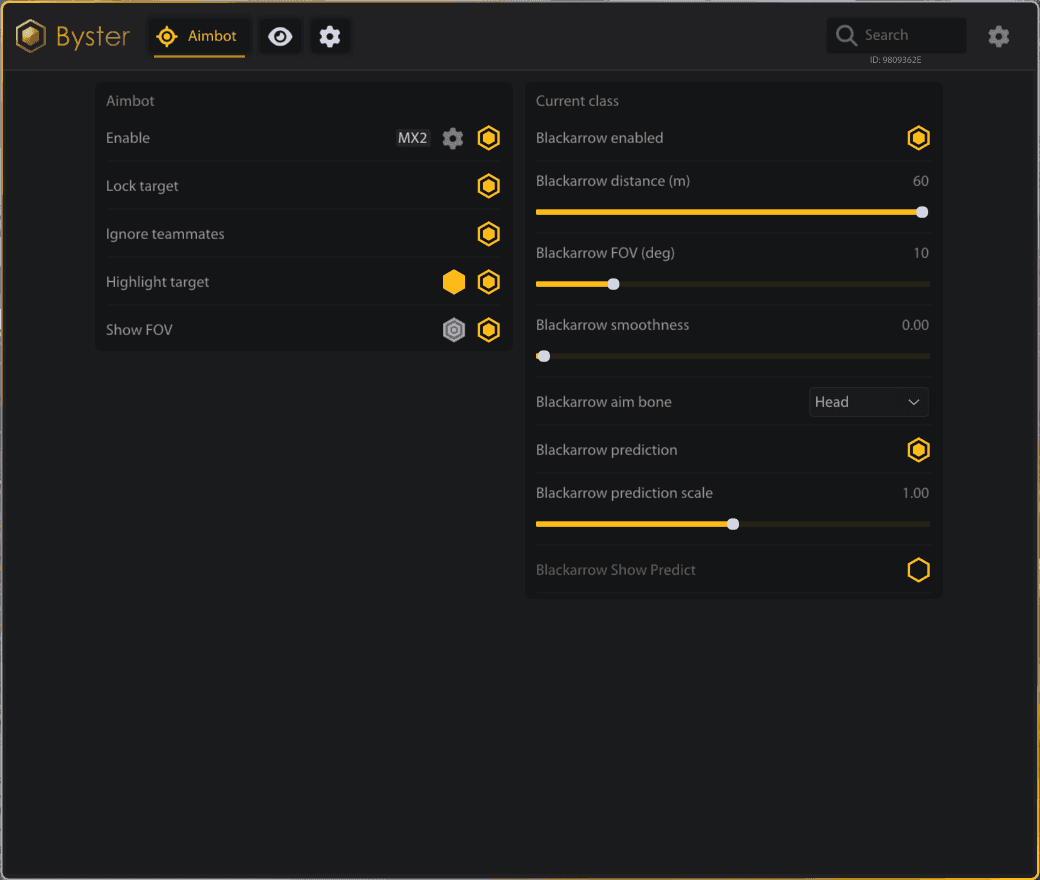
AIM AIMBOT - > Enable - Aim Keybind - Target Lock - Ignore Teammates - Target Highlight - Target Highlight Color - Aim FOV Circle - FOV Circle Color - Head Aim - Body Aim - Nearest Bone Aim - Aim Smoothness - Aim Distance - Aim FOV - Weapon-Based Prediction - Prediction Scale - Strafe Prediction Filtering - Jump Prediction Filtering - Mercenary Profile - Sorcerer Profile - Blackarrow Profile - Shadowstrix Profile - Seer Profile - Withered Knight Profile - Local Character Detection - Local Character Indicator ESP PLAYERS - > Enable - Bot ESP - Name - Class Tag - Team ID - Distance - Full Box - Corner Box - HP Bar - Skeleton - Dead Players - Hide Teammates - Armor Icons - Armor Rarity Borders - Armor Icon Size - Armor Icon Opacity - Player ESP Colors - Target Box Highlight - Target Skeleton Highlight - Player ESP Range MOBS - > Enable - Localized Mob Names - Distance - Full Box - Corner Box - HP Bar - Skeleton - Dead Mobs - Boss Tier - Elite Tier - Mini-Boss Tier - Attack Warning - Hermit Sprites Detection - Hermit Sprites Color - Mob ESP Colors - Target Box Highlight - Target Skeleton Highlight - Mob ESP Range LOOT - > Enable - Localized Item Names - Lootable Box Detection - Item Icons - Item Icon Size - Item Icon Opacity - Item Quantity - Item Distance - Item Rarity - Item Value - Stack Value - Value Color - Rarity Filters - Rarity Colors - Damaged Filter - Common Filter - Rare Filter - Excellent Filter - Epic Filter - Legendary Filter - Holy Filter - Prismatic Filter - Loot ESP Range TREASURES - > Enable - Localized Treasure Names - Treasure Icons - Treasure Icon Size - Treasure Icon Opacity - Treasure Distance - Hide Opened Treasures - Opened Treasure Tint - Key-Locked Chest Detection - Closed Chest Prefix - Average Treasure Value - Average Value Color - Chest Filter - Ore Pile Filter - Nature Filter - Container Filter - Equipment Filter - Ritual Filter - Forge Filter - Shipwreck Filter - The Exiled Filter - Other Treasure Filter - Treasure Category Colors - Treasure ESP Range ABILITIES - > Enable - Ability Names - Ability Icons - Ability Cooldowns - Unknown Cooldown State - Combat Skills Filter - Ability List Layout - Ability Bar Layout - Ready Ability Color - Cooldown Ability Color - Ability Background - Ability Background Color - Ability Icon Size - Teammate Ability Filter - 25-Meter Ability Range PROPS - > Enable - DoomTrap Detection - DoomTrap Marker - DoomTrap Color - Prop Distance - Prop ESP Range MISC GENERAL - > FOV Changer - Battle Mode - Battle Mode Keybind - Hide Items in Battle Mode - Hide Treasures in Battle Mode - Hide Dead Actors in Battle Mode - VSync - FPS Limit - FPS Counter - Refresh Rate Indicator - ESP Text Size - Automatic English Localization - Automatic Russian Localization - Automatic Chinese Localization - Embedded Icons - Embedded Localization Data - Automatic Game Detection - Automatic Game Window Detection - Overlay Window Tracking - Click-Through Overlay
Cheat for Mistfall Hunter
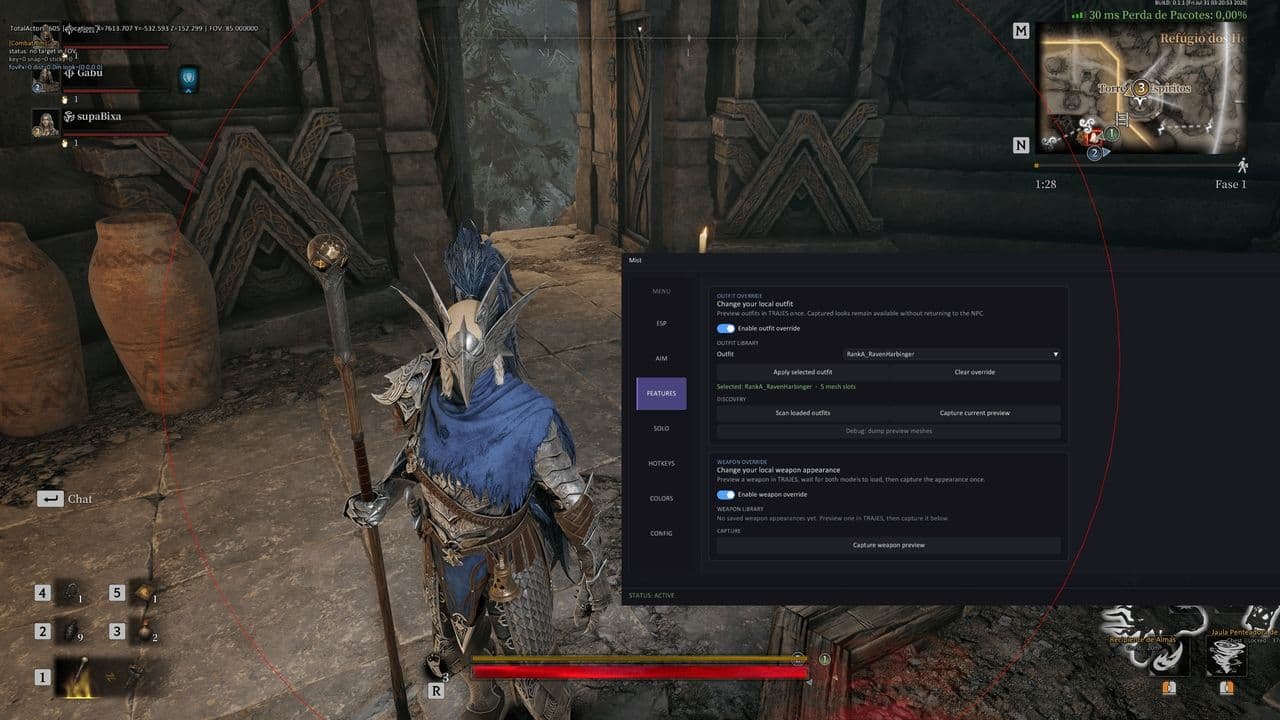
Player ESP - Player ESP - Visibility Check - Show Teammates - Show Bodies - Maximum Distance - Player Names - Distance - Health Bar - Health as Text - Weapon - Gear Tier Summary - Equipped Gear Details - Gear Rows (1-9) - Bounding Box (2D / 3D) - Snap Lines - Skeleton - Head Circle - Through-Wall Outline - Font Size NPC ESP - NPC ESP - Visibility Check - Show Destroyed NPCs - Maximum Distance - NPC Names - Boss Flag - Distance - Health Bar - Health as Text - Bounding Box (2D / 3D) - Snap Lines - Through-Wall Outline - Font Size Items ESP - Item ESP - Item Names - Distance - Floor Loot - Floor Loot Rarity - Color by Rarity - Through-Wall Outline - Maximum Distance - Font Size Treasure ESP - Treasure Box ESP - Dead Bodies - Rarity Tier - Color by Rarity - Lock State - Hide Opened Treasures - Opened Treasure Tint - Key-Locked Chest Detection - Closed Chest Prefix - Show Items - Display Style (Text / Card Widget) - Maximum Items Shown - Maximum Distance - Font Size Aimbot - Mouse Aimbot - Silent Aim - Silent Aim Mode (Always / Hold / Toggle) - Draw Silent FOV - Silent FOV - Silent Aim Maximum Distance - Aim Under Feet - Depth Below Feet - Under-Feet Aim Key - Melee Lock-On - Camera Target Tracking - Melee Lock FOV - Melee Lock Distance - Aim at Players - Aim at NPCs - Aim at DBNO - Ballistic Prediction - Visibility Check - Auto Select Best Visible Bone - Drop Target on LOS Loss - Draw Mouse FOV Circle - Show Locked Target - Prioritize Players - Target Lowest HP - Target Bone Selector - Normal Aim Key - Silent Aim Key - Under-Feet Aim Key - Melee Lock Key - Xbox Controller Support - Normal Aim Key (Xbox) - Silent Aim Key (Xbox) - Under-Feet Aim Key (Xbox) - Melee Lock Key (Xbox) - Aimbot Toggle Hotkey - FOV +/- Hotkeys - Next / Previous Bone Hotkeys - Mouse FOV - Mouse Maximum Distance Aim Profiles - Human - Balanced - Aggressive - Per-Profile Defaults - Speed - Drift - Target Width - Humanness - Curvature - Tremor Minimum - Tremor Maximum - Signal Noise - Overshoot - Reset to Profile Auto Loot - Auto Loot - Toggle Hotkey - Loot Range - Interval - Maximum per Tick - Opened Containers Only - Prioritize Player Corpse Gear - Quality Filter (Tier 1-8) - Tier 0 / Unknown Items - Named Item Filter - Named Item Mode (Disabled / Always / Only / Never) - Item Browser - Category Filter - Tier Filter - Quality Filter - Variant Mode (All / Exact / Ask) Skin Changer - Outfit Skin Changer - Skin Catalog - Apply Outfit - Local Visual Only - Clear Outfit - Weapon Skin Changer - Weapon Skin Catalog - Apply Weapon Skin - Local Visual Only - Clear Weapon Skin Scripting System - Script Studio - Live JavaScript Scripting - Local Script Browser - Script Search and Filtering - Create Scratch Modules - Open Scripts Folder - JS Modules - RAW Scripts - LIB Libraries - Built-in Code Editor - Save Edits - Restore Edits - Unsaved Edit Protection - Ctrl+S Save - Ctrl+V Paste - Auto-Save on Run - Module Mode - Raw Mode - Run Module - Reload Current Module - Execute Raw Script - Reload Libraries - Live Library Reload - Stop / Unload Modules - Active Module Count - Context Library - Logging Library - Events Library - Hooks Library - Shared Helpers - Script Store - Community Script Downloads - Scripting Documentation - Open Downloaded Script - Runtime Status - Bound Game Class Count - Script Request Counter - Script Logs - Search Logs - Filter Logs - Copy Logs Solo Tools - Speed Hack - Speed Multiplier - Fly - Fly Speed - No Clip - No Gravity - Super Jump - Jump Height - Save Position - Load Position - Teleport Forward - Teleport Distance - God Mode - Infinite Stamina - No Fall Damage - Time Dilation - Full Heal Movement Status - Speed / Fly / NoClip Hotkeys - Teleport Hotkeys - Full Heal Hotkey Radar - Radar Overlay - Radar Size - Maximum Range - Opacity - Entity Size - Players - NPCs - Pickups - Containers - Other Entities - Player Proximity Warning - Warning Range Extraction ESP - Extraction ESP - Enabled-Only Filter - Can-Extract Filter - Show State - Show Time - Show Distance - Maximum Distance Misc / Overlay - Custom Crosshair - Crosshair Size - FPS Counter - Player Count - Draw All Actors - VSync - Font Outline - Global Font Size - Interface & ESP Scale - Game Font Language - English UI - Chinese UI - Korean UI - Russian UI Colors - Player Color - Visible Player Color - Bot Color - Visible Bot Color - NPC Color - Visible NPC Color - FOV Circle Color - Treasure Box Color - Treasure Item Color - Low Rarity Color - Mid Rarity Color - High Rarity Color - Uncommon Color - Rare Color Hotkeys & Modes - Hotkey System - Live Key List - Aimbot Status Indicator - Aimbot Toggle - FOV +/- Hotkeys - Next / Previous Bone Hotkeys - Auto Loot Hotkey - Speed / Fly / NoClip Hotkeys - Teleport Hotkeys - Full Heal Hotkey - Fight Mode - Fight Mode Hotkey - Keep Player ESP - Keep NPC ESP - Keep Aimbot - Disable Items ESP - Disable Extraction ESP - Disable Clutter - Restore Previous ESP State Panic Mode - Panic Mode Hotkey - Disable ESP - Disable Aimbot - Disable Silent Aim - Disable Solo Tools - Save Feature State - Restore Feature State - Fight / Panic Status Config System - Cloud Config Save - Named Configs - Cloud Config Load - Delete Config - Refresh Config List - Double-Click to Load - Multiple Private Configs - Community Config Store - Download Community Configs - Share Configs Logs - Logs Tab - Script & Runtime Logs - Search Logs - Log Level Filter - Auto-Scroll - Copy Logs - Inspect Long Messages - Open Log File - Open Log Folder - Clear Logs
The Mistfall Hunter cheat provides additional gameplay features for combat, location exploration, and finding valuable items. Its user-friendly menu allows you to configure the available functions according to your preferred playstyle.
The product page includes a complete description, feature list, supported game version, system requirements, setup instructions, and current subscription plans.
Before purchasing a Mistfall Hunter cheat, review the product specifications and check compatibility with your system. Choose a suitable subscription period and receive the product immediately after payment.