
Cheat for Day R
Choose a suitable cheat for Day R
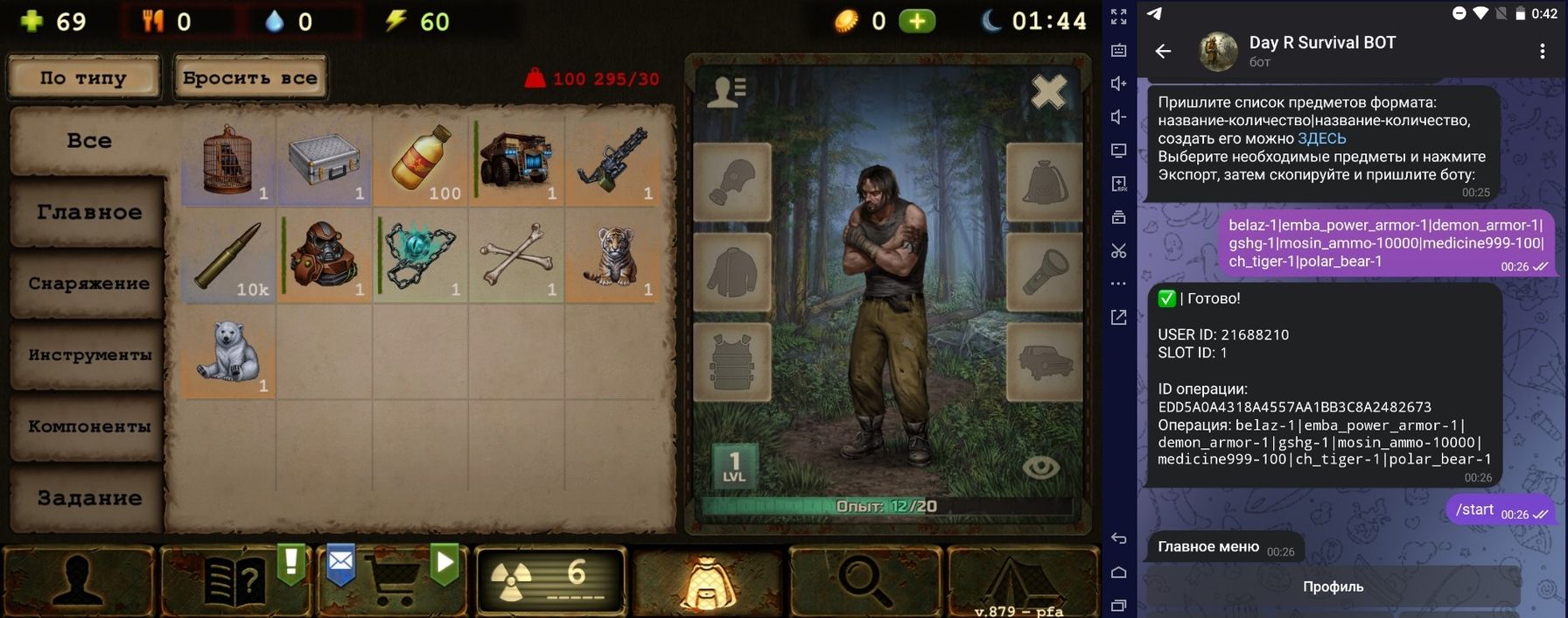
Cheat for Day R
Functions - PREMIUM Activate permanent premium mode. Wipe game data or reinstall the app before activation. - ITEMS - Add any items, caps, skill points, or event currency to your inventory. - Use this format: item-amount|item-amount, e.g. caps-15000|belaz-1|mosin_ammo-1000. - Build your list here: https://items.diexievie.com/builder_en.php - Full item list: https://items.diexievie.com/_itemListEN.js STATS - Edit your stats: health, hunger, thirst, energy (1 to 1,000,000). LEVEL 100 - Instantly upgrade your character to level 100. BUFFS - Apply all possible buffs for 10 years. PETS - Max out all your pets. CAMP - Max out your entire camp. BATTLE PASS - Activate the battle pass for the Contraband event. EVENTS - Level up New Year and Halloween events to level 10. CHANGE NICKNAME - Change your nickname without limits. Symbols and emojis supported. COPY BY ID - Clone any account using USER ID and SLOT ID. COPY BY NICKNAME - Clone any account by in-game nickname. ROLLBACK - Cancel any previous operation and restore your original account. - Preparation (Before Using the Bot): ANDROID: - Always wipe game data before use: - Settings → Apps → Day R → Storage → Clear Data - Or uninstall and reinstall the game. IPHONE: - Always delete the game before use, then reinstall after all operations. - Alternative Method (for old versions or faster setup): - Drop any item on the ground - Go to main menu (Pause → Main Menu) - Press “Continue” - Fully close the app (not minimize — close it) - Perform desired bot operations - Launch the game - Return to the main menu - Press “Continue” - Common Issue: - If nothing changes or progress resets — the game may not load server save properly. Solutions: - Use VPN to log in - Enable proxy in game settings - Update the game to the latest version
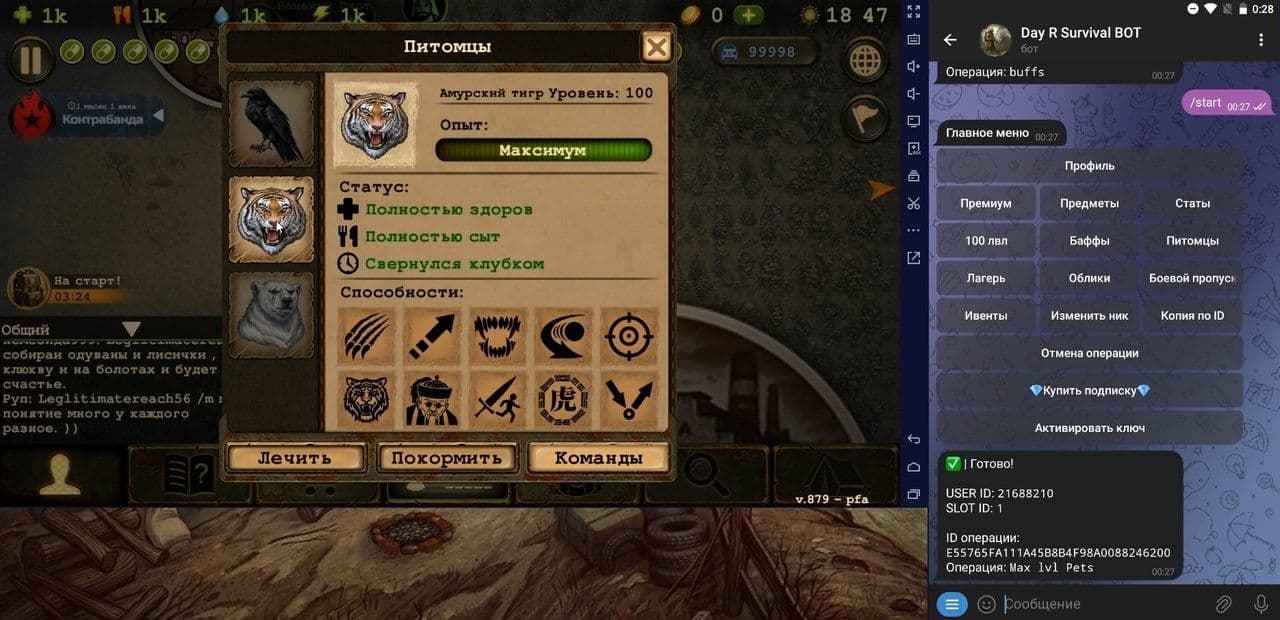
Cheat for Day R
### PREMIUM - Activate permanent premium mode. Wipe game data or reinstall the app before activation. ### ITEMS - Add any items, caps, skill points, or event currency to your inventory. - Use this format: item-amount|item-amount, e.g. caps-15000|belaz-1|mosin_ammo-1000. - Build your list here: https://items.diexievie.com/builder_en.php - Full item list: https://items.diexievie.com/_itemListEN.js ### STATS - Edit your stats: health, hunger, thirst, energy (1 to 1,000,000). ### LEVEL 100 - Instantly upgrade your character to level 100. ### BUFFS - Apply all possible buffs for 10 years. ### PETS - Max out all your pets. ### CAMP - Max out your entire camp. ### BATTLE PASS - Activate the battle pass for the Contraband event. ### EVENTS - Level up New Year and Halloween events to level 10. ### CHANGE NICKNAME - Change your nickname without limits. Symbols and emojis supported. ### COPY BY ID - Clone any account using USER ID and SLOT ID. ### COPY BY NICKNAME - Clone any account by in-game nickname. ### ROLLBACK - Cancel any previous operation and restore your original account. - Preparation (Before Using the Bot): ### ANDROID: - Always wipe game data before use: - Settings → Apps → Day R → Storage → Clear Data - Or uninstall and reinstall the game. ### IPHONE: - Always delete the game before use, then reinstall after all operations. - Alternative Method (for old versions or faster setup): - Drop any item on the ground - Go to main menu (Pause → Main Menu) - Press “Continue” - Fully close the app (not minimize — close it) - Perform desired bot operations - Launch the game - Return to the main menu - Press “Continue” - Common Issue: - If nothing changes or progress resets — the game may not load server save properly. ### Solutions: - Use VPN to log in - Enable proxy in game settings - Update the game to the latest version
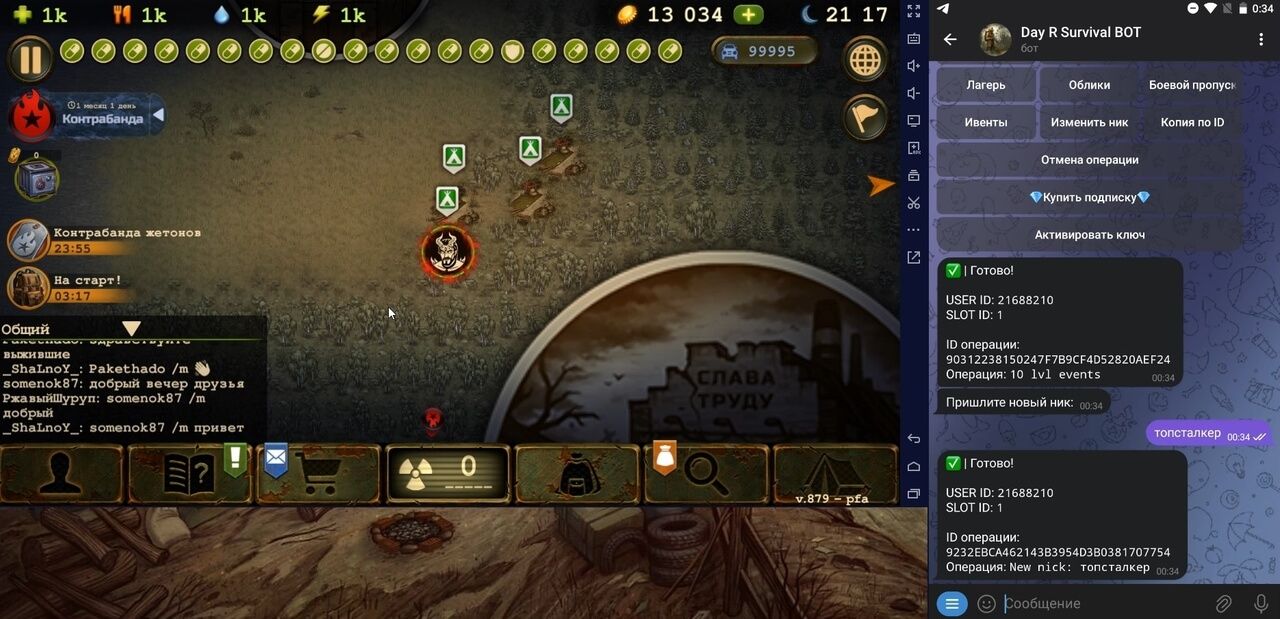
Cheat for Day R
Functions VIP MOD is a paid Android game modification with automatic unban, improved gameplay parameters, new items, and extended features. Works online and offline on official servers. Installed via APK, no ROOT required. iOS is not supported. Available access levels: VIP MOD Lite Basic access to the mod and updates. One unban at activation, next unbans are paid. Suitable for restoring an account once. VIP MOD Pro Lifetime access to the mod and updates. One free unban per week. Suitable for regular play with reduced account risks. VIP MOD Ultimate Full access to all features. Unlimited automatic unbans and protection against penalties. Maximum stability and account safety. After purchase you receive an APK file, login and password. Install the mod, sign in, and start playing — no additional steps required.
To avoid inequality in the game and not to sit around the clock in this virtual world, we suggest buying a private cheat for Day R, which will help diversify your options. They will give you an advantage, and the game will become more fulfilling and enjoyable for you.