
Cheat for Albion Online
Choose a suitable cheat for Albion Online
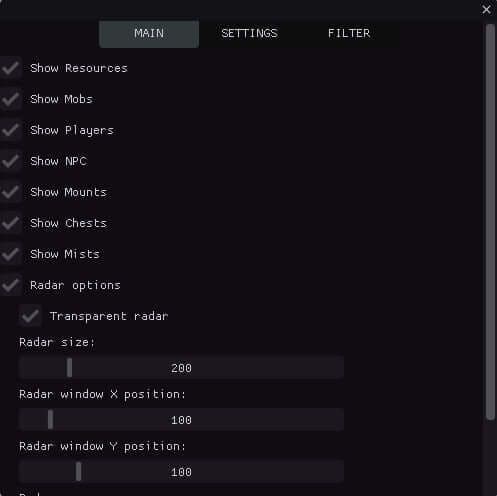
Cheat for Albion Online
RADAR OBJECTS - Show Mobs - Show Resources - Show Players - Show NPC - Show Mounts - Show Chests - Show Mists Radar options - Transparent radar - Radar width & height - Radar X position - Radar Y position - Radar zoom - Radar dots size - Radar objects radius COLORS - NPC color - Players color - Mounts color - Mists - Resources TIER 1 color - Resources TIER 2 color - Resources TIER 3 color - Resources TIER 4 color - Resources TIER 5 color - Resources TIER 6 color - Resources TIER 7 color - Resources TIER 8 color - Chests color FILTER - Enable filter Resources filter - Only 1-st TIER items - Only 2-st TIER items - Only 3-st TIER items - Only 4-st TIER items - Only 5-st TIER items - Only 6-st TIER items - Only 7-st TIER items - Only 8-st TIER items Chests filter - Only 1-st TIER chests - Only 2-st TIER chests - Only 3-st TIER chests - Only 4-st TIER chests
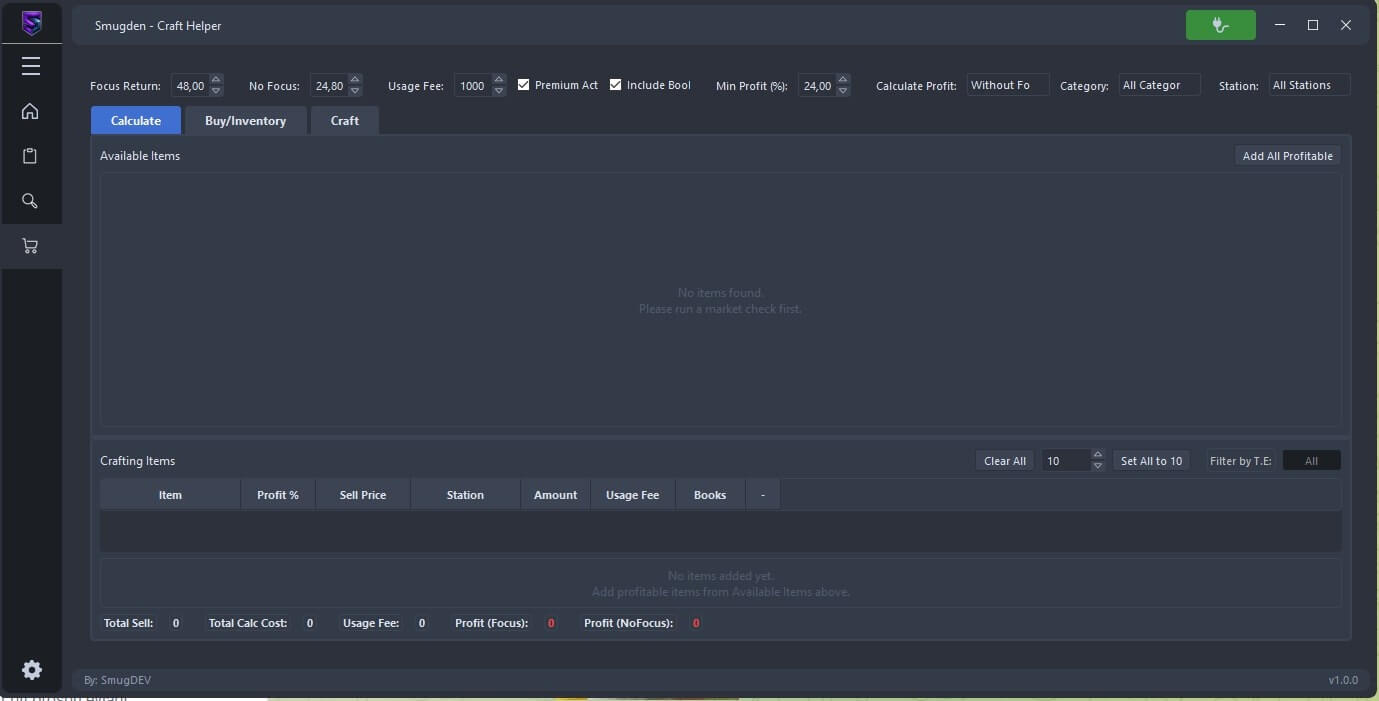
Cheat for Albion Online
Functions Automatically craft and analyze profit
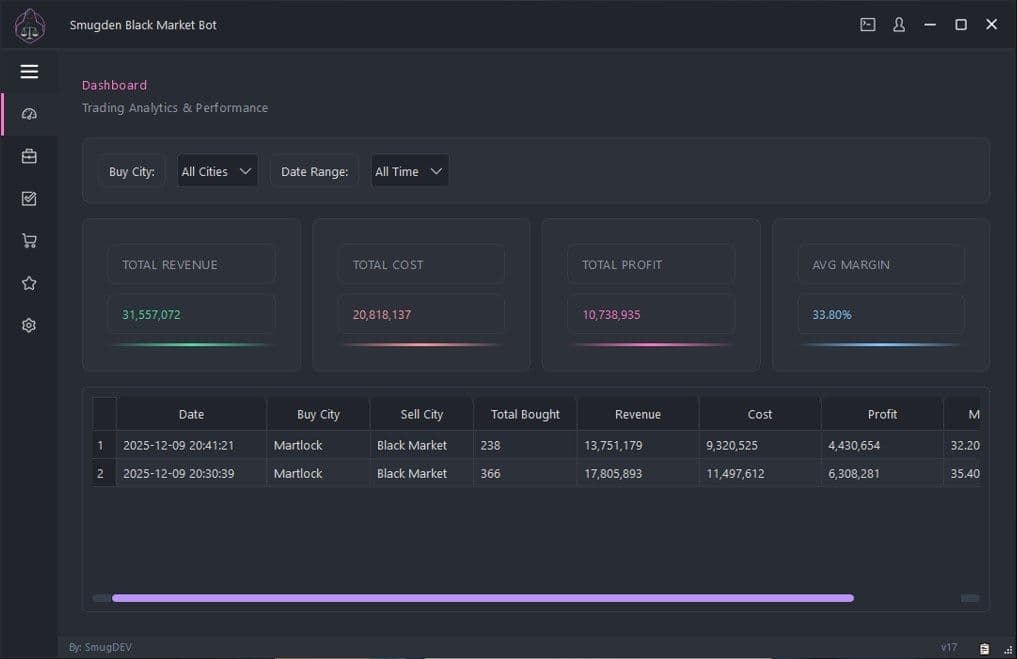
Cheat for Albion Online
- Automatically analyses market prices - Compares with other market prices - Analyses and compares only the products of your choice - Makes purchases only with the minimum profit percentage determined by you - Very simple interface and operation - If you use Smugden Market bot only 2-3 times a day, you can earn a minimum of 20-30 m silver
Cheat for Albion Online
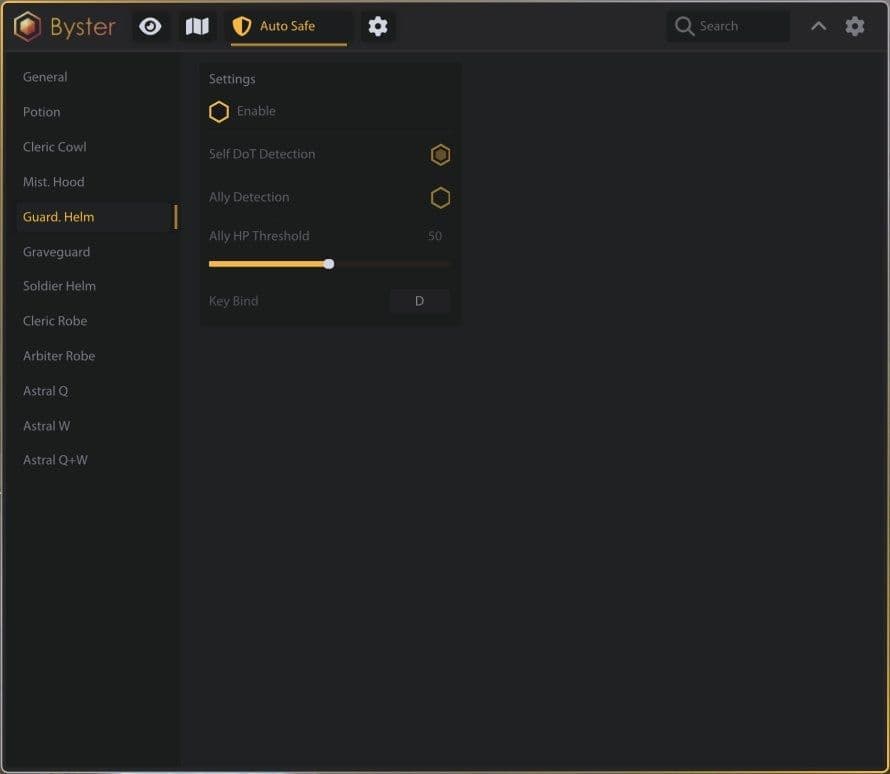
Main: - ᴍᴀɪɴ - Zoom - Transparency - Point Scale - Text Scale ᴋᴇʏ ʙɪɴᴅꜱ - Disable radar key - Disable player key Players: - ɢᴇɴᴇʀᴀʟ - Enable - Draw Is On Mount - Draw Name - Draw Health - Draw Distance - Draw Players in your party World: - ᴍᴀɪɴ - ᴛɪᴇʀ & ᴇɴᴄʜᴀɴᴛᴍᴇɴᴛ - ʀᴇꜱᴏᴜʀᴄᴇꜱ - Wood - Rock - Fiber - Ore - Hide Misc: - ᴄʜᴇꜱᴛꜱ - Hiden Cheast - Avalone Drone ʟᴏᴏᴛʙᴀɢ - Player Lootbag - Mob Lootbag Mobs: - ᴍᴀɪɴ - ᴛɪᴇʀ & ᴇɴᴄʜᴀɴᴛᴍᴇɴᴛ - ʀᴇꜱᴏᴜʀᴄᴇꜱ - Wood - Rock - Fiber - Ore - Hide Other: - ᴍᴀɪɴ - Draw Hostile - Draw Boss - Draw Miniboss - Draw Debug ᴍɪꜱᴛꜱ - Draw Wisp Common - Draw Wisp Uncommon - Draw Wisp Rare - Draw Wisp Epic - Draw Wisp Legendary - Draw Mists Boss Dungeon: - ᴍᴀɪɴ - Draw Distance - Draw Debug ꜱᴇᴛᴛɪɴɢꜱ - Draw Solo - Draw Group - Draw Corrupt - Draw Hellgate - Draw Mist Portal - Configs.
Cheat for Albion Online
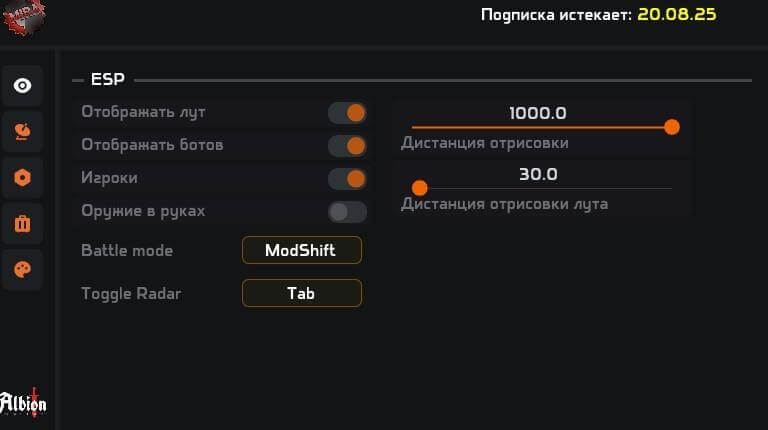
ESP Settings: - Display players - Display mobs - Display wisps - Display crystal mobs - Display dungeons - Show radar Parameters: - ESP radius (adjustable slider) - Radar size (adjustable slider) - BattleMode toggle (on/off, key — Tab) Loot Settings - Enable loot display - Display: - Wood - Ore - Stone - Hide - Cotton - Loot quality selection - Resource type filtering Color Settings: - Loot color - Ore color - Wood color - Cotton color - Stone color - Player color - Mob color - Crystal mob color - Wisp color - Hide color Avalon Portals - Display of the current location mini-map - Information about location and zone name - List of available zones (with Tier indication) Examples: - Firos-Osinsum (T6) - Hebos-Ulamsum (T6) - Coues-Exakrom (T4) - Oebos-Ixakaum (T4) - Fieos-Aiuttum (T6) - Cetos-Obaelos (T6) - Tetos-Igaelum (T6) - Xurites-Ataglos (T6) - Quaent-Al-Vynsum (T6) - Zone search - Display of active portals on the map
Cheat for Albion Online
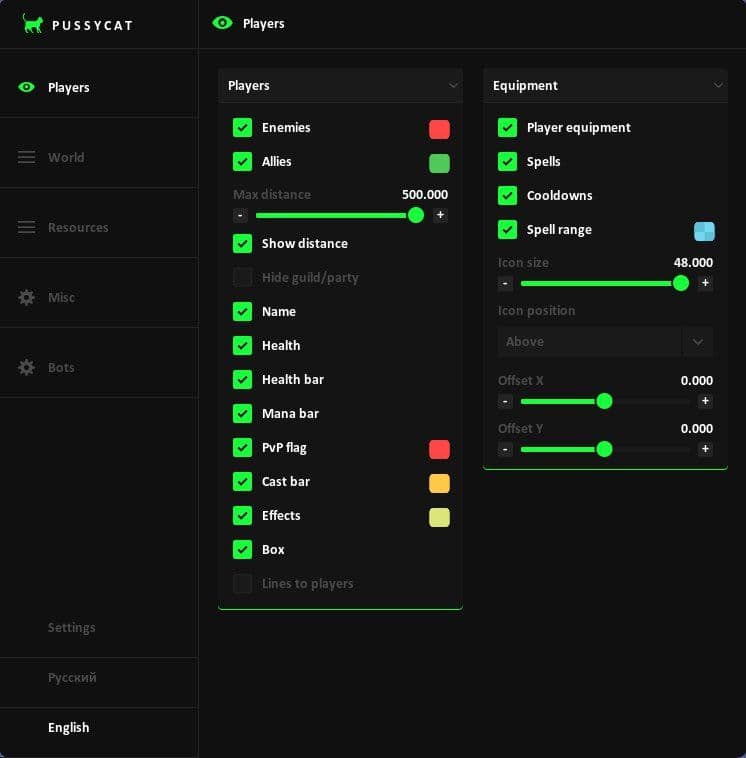
### Players ### Players - Enemies - Allies - Max Distance - Show Distance - Hide Guild / Party - Name - Health - Health Bar - Mana Bar - PvP Flag - Cast Bar - Effects - Box - Lines to Players - Line Origin - Bottom to Enemy, Top to Enemy, Crosshair to Enemy ### Equipment - Player Equipment - Spells - Cooldowns - Spell Range - Icon Size - Icon Position - Above, Below Bars, Below Box - Offset X - Offset Y ### World ### Mobs - Mobs - Max Distance - Hide Critters - Aggro Radius ### Dropped Loot - Dropped Loot - Max Distance - Show Name - Show Distance ### Fishing - Fishing Spots - Max Distance - Show Distance - Hide Empty ### Silver / Corpses - Silver - Silver Distance - Silver Distance Label - Corpses - Corpse Distance - Corpse Distance Label ### Hunt Tracks - Hunt Tracks - Max Distance - Show Distance - Hide Used ### Crystal Bosses - Crystal Bosses - Max Distance - Show Distance - Show Tier ### Events - Events - Max Distance - Show Distance ### Hideouts / Orbs - Hideouts - Hideout Distance - Show Distance - Orbs - Orb Distance - Orb Distance Label ### Shrines / Mounts - Shrines - Shrine Distance - Shrine Distance Label - Mounts - Mount Distance - Mount Distance Label ### Chests ### Loot Chests - Loot Chests - Max Distance - Show Name - Show Distance - Show Rarity - Hide Empty ### Chest Mobs - Chest Mobs - Show Distance ### Dungeons - Enable - Max Distance - Show Distance - Random - Royal - Randomized Holes - Solo - Veteran - Elite - Hide Visited - Corrupted - Hellgates - Mists ### Smugglers - Crates - Cages - Max Distance - Crate Distance - Cage Distance - Hide Opened ### Wisps - Wisps - Max Distance - Show Distance - Filter - All, Solo, Duo, Group ### Resources ### Wood - Nodes + Mobs - Min Tier - Max Tier - Min Enchant - Max Enchant - Tier + Enchant on Label - Max Distance - Show Distance - Show Charges - Hide Depleted - Show Resource Mobs ### Stone - Nodes + Mobs - Min Tier - Max Tier - Min Enchant - Max Enchant - Tier + Enchant on Label - Max Distance - Show Distance - Show Charges - Hide Depleted - Show Resource Mobs ### Fiber - Nodes + Mobs - Min Tier - Max Tier - Min Enchant - Max Enchant - Tier + Enchant on Label - Max Distance - Show Distance - Show Charges - Hide Depleted - Show Resource Mobs ### Hide - Corpses + Mobs - Min Tier - Max Tier - Min Enchant - Max Enchant - Tier + Enchant on Label - Max Distance - Show Distance - Show Charges - Hide Depleted - Show Mobs / Corpses ### Ore - Nodes + Mobs - Min Tier - Max Tier - Min Enchant - Max Enchant - Tier + Enchant on Label - Max Distance - Show Distance - Show Charges - Hide Depleted - Show Resource Mobs ### Misc ### Radar Settings - Radar - POS X - POS Y - Size - Icons - Distance ### World / Visual - Camera Zoom - Zoom Distance - No Fog ### Debug Dump - ESP Players - ESP World - ESP Resources - ESP Portals ### Bots ### Gatherer - Enable Auto Gather - Gather Radius - Filter Resources via ESP - Skip Resources Behind Walls - Mob Defense - Skip Dangerous Mobs - Min Mob Avoid - Return to Route - Block Stuck Resource - Stuck Timeout - Auto Food - Stop on Overload - Stop from Load % - Use Mount for Gathering - Show Gather Radius - Load ### Area & Route - Draw Gather Area - Cancel Area - Clear Area - Saved - Save - Load - Remove - Build Own Route - Stop Route Recording - Clear Route - Saved - Save - Load - Remove ### Fisher - Enable Fishing - From Route Line - Show Fishing Radius - Priority Chest - Empty Spots - Use Mount - Auto Food - Auto Bait - Mob Defense - Auto-Cast - Auto-Hook - Auto-Pull - Auto-Repeat - Fish the Whole Spot - Move to Next Spot - Return to Route After Fishing ### Area & Route - Build Own Route - Stop Route Recording - Clear Route - Saved - Save - Load - Remove ### Hunter - Enable Hunt - Hunt Radius - Hunt Along Route - Mob Defense - Attack Aggro Mobs - Escape Mode - Run Below HP % - Skip Mobs Behind Walls - Auto Food - Stop on Overload - Stop from Load % - Use Mount for Hunting - Show Hunt Radius - Load ### Area & Route - Draw Gather Area - Cancel Area - Clear Area - Saved - Save - Load - Remove - Build Own Route - Stop Route Recording - Clear Route - Saved - Save - Load - Remove ### Settings ### Combat Buttons - Ability 1 - Ability 2 - Ability 3 - Ability 4 - Ability 5 - Ability 6 ### Font Settings - Enemy Font Size - Item Font Size ### Config - Lock Overlay FPS - Menu Key - INSERT, PageUP, PageDown, END, RShift - Save Config - Load Config ### Language - English - Russian
Cheat for Albion Online
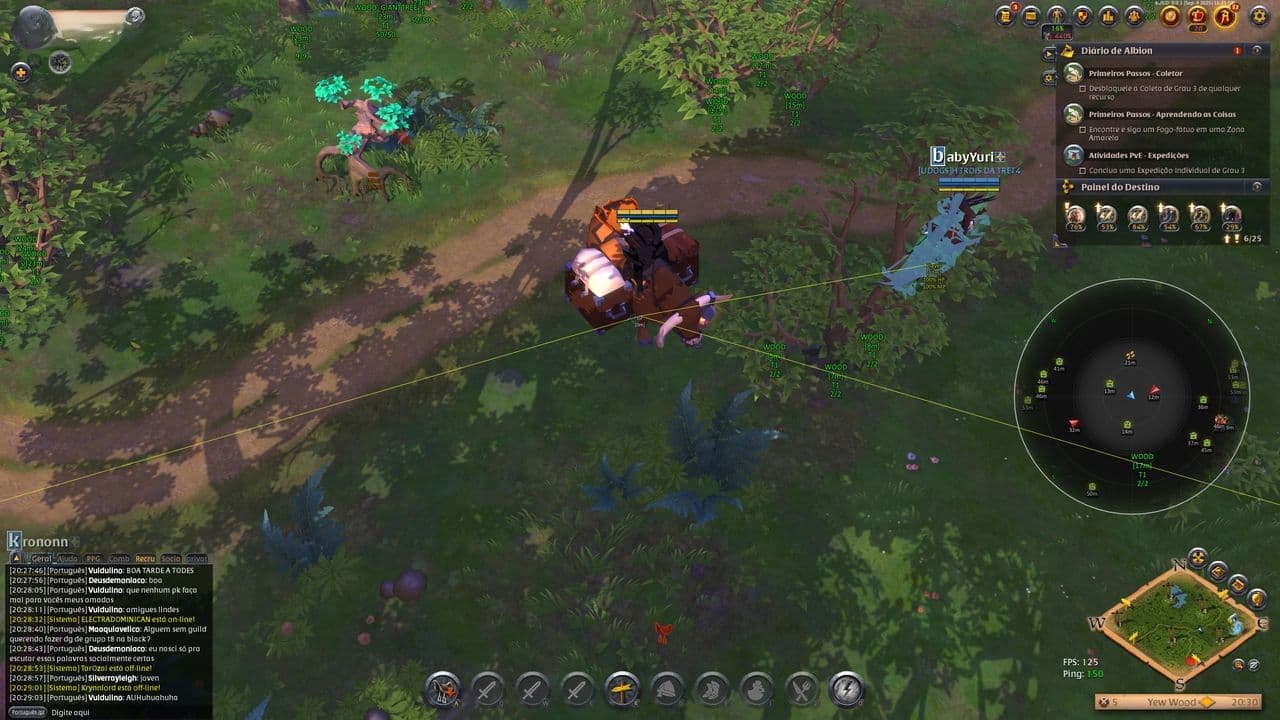
Functions Radar Objects Radar Options Radar Width & Height Radar Zoom Object Display Show Mists Show Mobs Show Players Show Resources Loot by Tier Show TIER 1 Loot Show TIER 2 Loot Show TIER 3 Loot Show TIER 4 Loot Show TIER 5 Loot Show TIER 7 Loot Show TIER 8 Loot Colors Mists Color Mobs Color Players Color Resources Color
Cheat for Albion Online
Fishing - Auto fishing with smart casting - Multi-zone detection (Sunken, Pool, Fish, Area) - Smart hook mechanic with timing adjustment - Control of line tension with auto regulation - Zone time limiter for detection prevention - Obstacle detection and avoidance - Auto bait usage with interval customization - Auto consume items during fishing - Auto healing during fishing - Auto stop when inventory is full - Manual fishing mode with position adjustment - Automatic route detection for fishing path Gathering - Auto gather all resource types - Sorting by resource type (wood, stone, ore, fiber, leather) - Sorting by level and rarity (T1-T8) - Magnetic gather range with adjustable radius - Auto route generation for collection - Pathfinding recovery when no nodes available - Obstacle detection and intelligent route rerouting - Auto consume items during gathering - Auto healing during gathering - Integration with mobile control - Auto stop when overweight - Auto inventory management Combat - Intelligent combat automation - Smart ability usage - Customizable combo configuration - Skill priority setup by cooldown - Distance-based combat control - Remote battle control - Custom skill set configuration - Integration with other functions - Auto special ability activation - Enemy detection ESP - Player ESP - Health and mana bars - Distance indicator - Name display - Team indicator - Skeleton display - Line to target - Container and chest ESP - Resource ESP (wood, stone, ore, plant, fiber) - Tier-based ESP (T1–T8) - Rarity-based ESP - Special hunt target detection - Dungeon and PVP zone ESP Radar - Advanced radar system - Mini-map with adjustable zoom (100–300 px) - Five visual styles - Distance control and visibility range - Object filtering by type - Map scaling and rotation control - Real-time display - Adjustable icon and text size - Player arrow with direction indicator - Configurable transparency Navigation - Automatic pathing - Route recording with checkpoints - Automatic path calculation with adjustable radius - Real-time waypoint display - Obstacle detection and avoidance - Auto mounting and dismounting - Auto route continuation after interruption - Visual path display - Stuck detection and recovery Enhancements - Anti-AFK system with adjustable intervals - Game speed control (acceleration / slowdown) - Resizable in-game UI - FPS display - Cursor lock - Player circle indicator - Fog control - Auto camera control - Magnetic hit assist Interface - Customizable UI - Anti-detection system - Keybind configuration - Advanced settings control - User interface protection - Personal configuration profiles - Separate color themes and templates - Save and load settings - RGB / HSV customization - Hotkey customization - Tooltip system - Context hints - Multi-monitor compatibility - Overlay calibration
Albion Online is a game combining open world, economics, craft and exciting PvP battles. To advance quickly, explore the key aspects of gameplay: from resource extraction and crafting to creating a strong guild and participating in battles for territory. Our guides will help you better understand the economics of the game, teach you how to earn silver and effectively manage resources. In addition, you will find tips on using up-to-date cheats that will help optimize the game and focus on development. Become a successful player in Albion Online by mastering all the subtleties of this amazing world!